


Solutions · Restaurants
The complete restaurant operating system
Point of sale, kitchen displays, customer displays, menus, staff, inventory, loyalty, gift cards, reporting and payments — one login, one system, one place. The software is free forever. You only ever pay card payment processing.
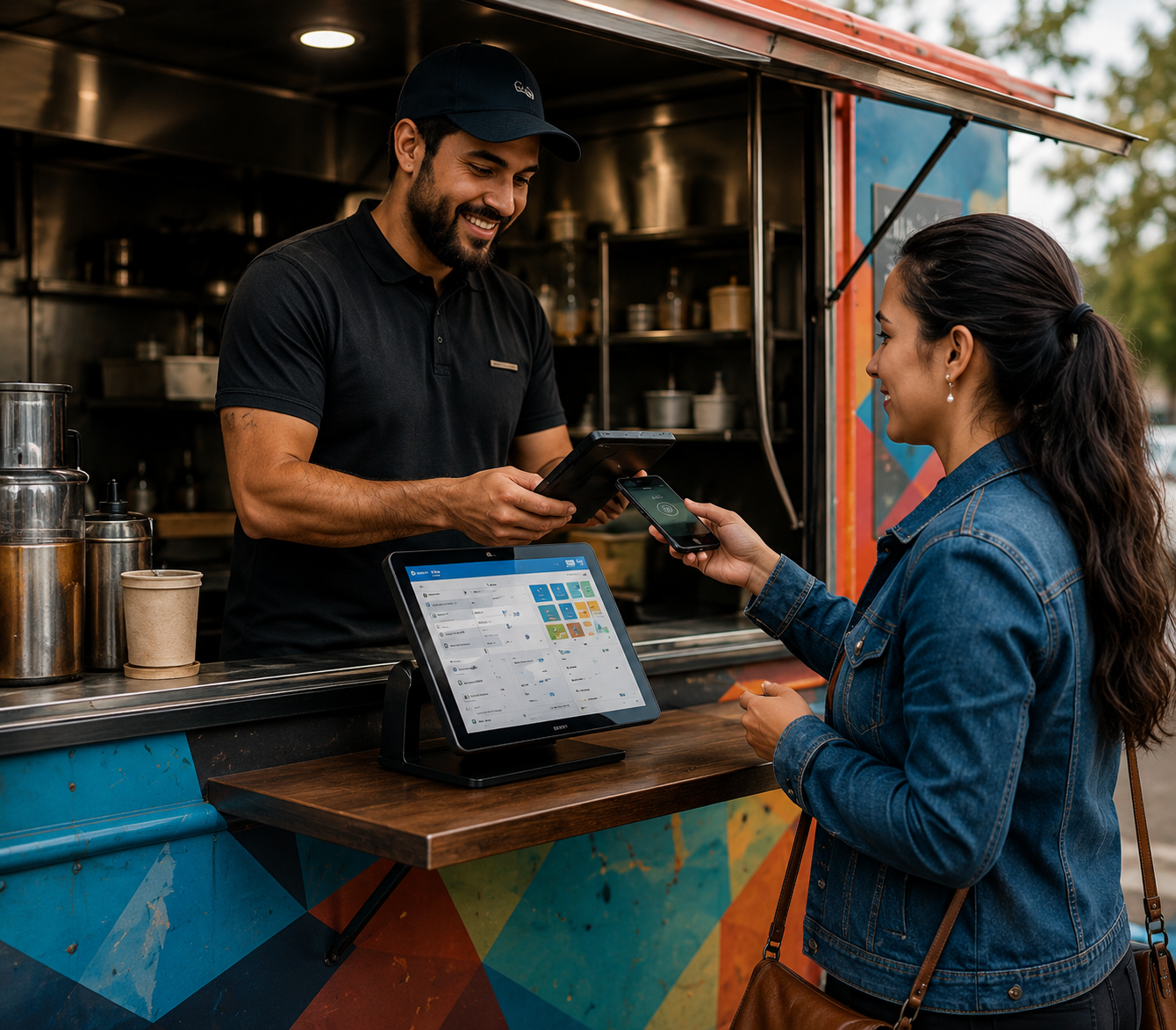
One login. Every screen in your restaurant.
Most restaurants end up with a POS from one vendor, a kitchen screen from another, payroll somewhere else and a payment processor on top — different logins, different bills, numbers that never match. WyndMe is one system: sign in once and everything from the order screen to the deposit in your bank is connected.
Sign in once
Email or PIN login gets your team into ordering, kitchen, back office and payments. No multiple URLs, no separate portals, no extra passwords.
Run every store
Multi-tenant from day one. One sign-in manages every location, franchise or concept you operate, each with its own menus, staff, taxes and timezone.
Onboard in two clicks
The onboarding wizard walks you through store setup, staff, products and hardware pairing. Most restaurants are taking orders the same day.
Everything included
Everything you need to run service
Every feature below is part of the free platform. Nothing is an upsell, an add-on module or a premium tier.
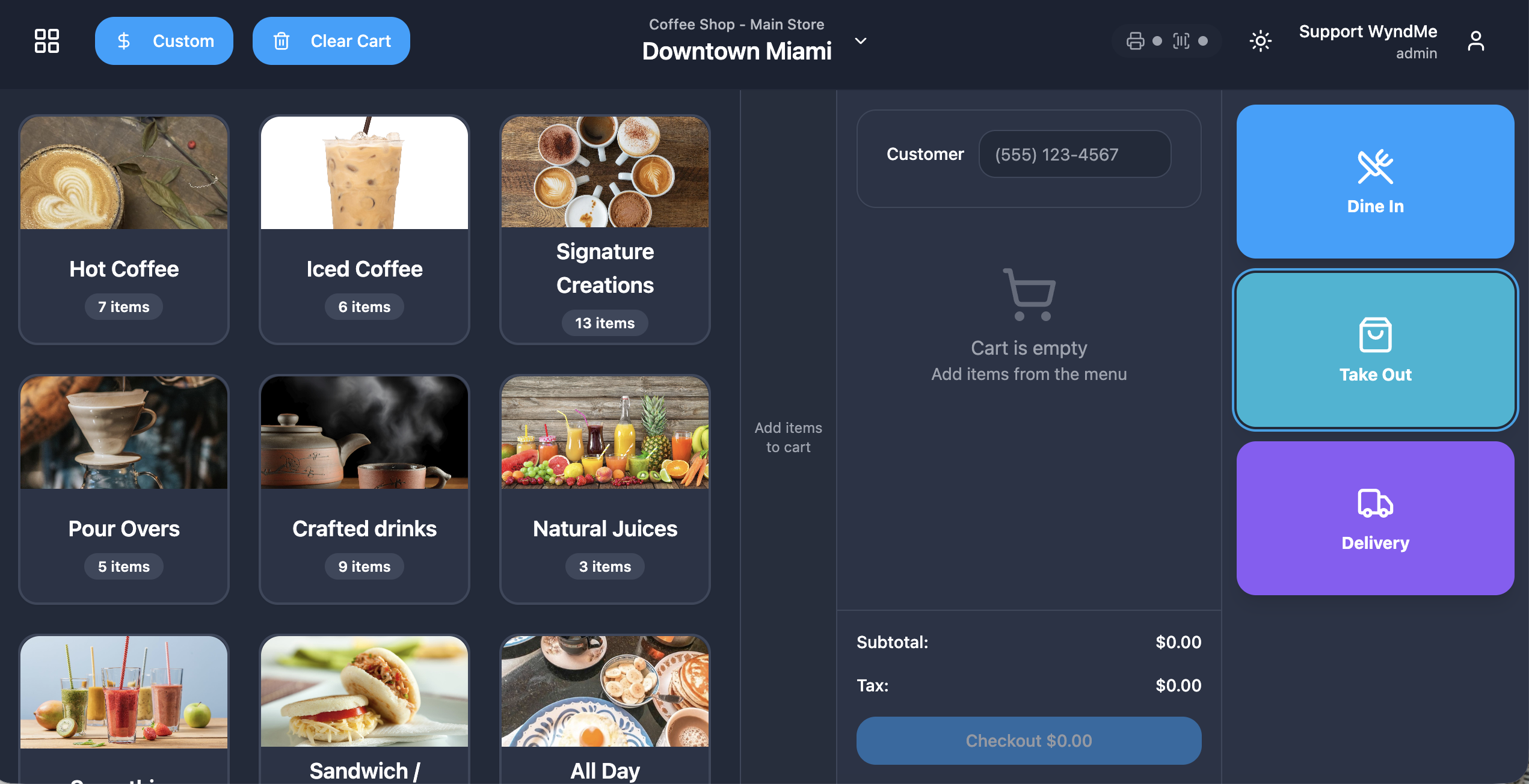
POS ordering screen
Fast touch grid with categories, search, live cart, quantity controls and instant totals built for real service speed.
Order types
Configurable order-type buttons — dine in, takeout, delivery, pickup, drive-thru — each with its own menu, tax and workflow.
Menus & scheduling
Unlimited menus with day and time scheduling, holiday rules and store-timezone logic so breakfast turns into lunch on its own.
Modifiers & add-ons
Reusable modifier libraries with required and optional groups, min and max rules, and per-option pricing.
Product catalog
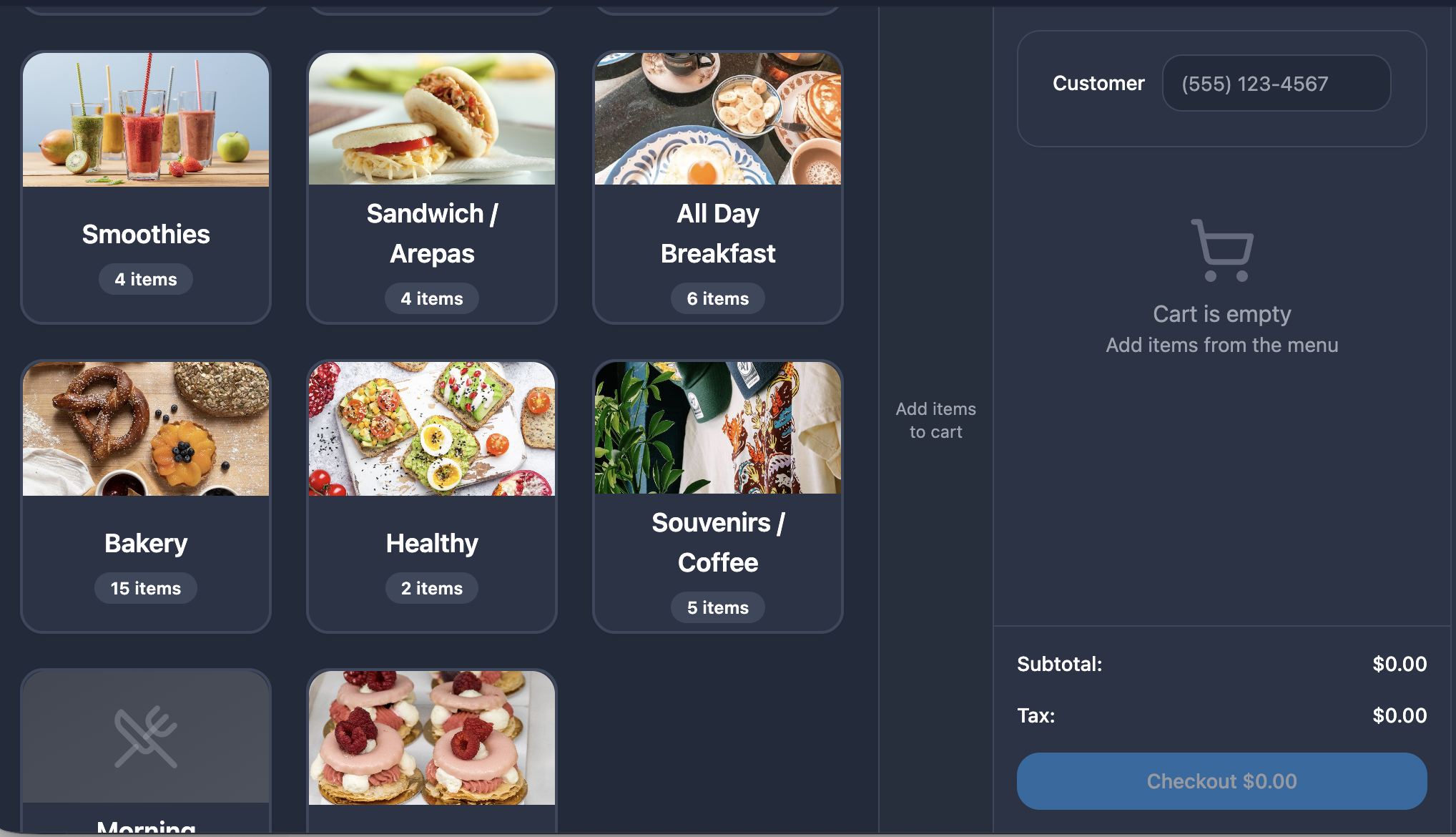
Categories, variants, barcodes, images, pricing and bulk import to build or move a full menu in minutes.
Discounts & charges
Percentage or fixed discounts, comps, service fees and custom charges applied to a line or the whole ticket.
Dynamic taxes
Tax rules by product, order type and location, calculated on every ticket and reconciled in your reports.
Tips
Tip prompts on the customer display, tip adjustment, and tip reporting by employee and by shift.
Card & cash payments
Take cards, cash and split tender at the terminal. Processing is built in — no third-party processor to sign up with.
Gift cards
Sell, redeem and top up gift cards at the register with balances tracked across every store.
Loyalty
Enroll customers at checkout, accrue points automatically and redeem rewards right from the order screen.
Receipts
Printed and emailed receipts with your branding, plus digital receipts sent straight from the customer display.
Inventory
Track stock levels, deduct on sale, set low-stock alerts and see what is costing you money.
Cash drawer & shifts
Open and close shifts, count drawers, record pay-ins and pay-outs, and reconcile cash at the end of the night.
Reports & analytics
Sales, tips, taxes, discounts, loyalty and labor — by store, by shift, by employee, by product.
Built for the way a restaurant actually runs
Ordering & checkout
A register your staff learns in one shift
The ordering screen is a fast touch grid with a live cart on the side. Add items, apply modifiers, discount a line, add a custom charge and take payment without leaving the screen.
- Touch grid with categories, search and images
- Live cart with quantities, notes and line-level edits
- Discounts, comps and custom charges on line or ticket
- Split tender across cards and cash on the same ticket
- Cancel or void a terminal transaction mid-payment
- Reprint, email or refund a past order in seconds
Menus
Menus that run themselves
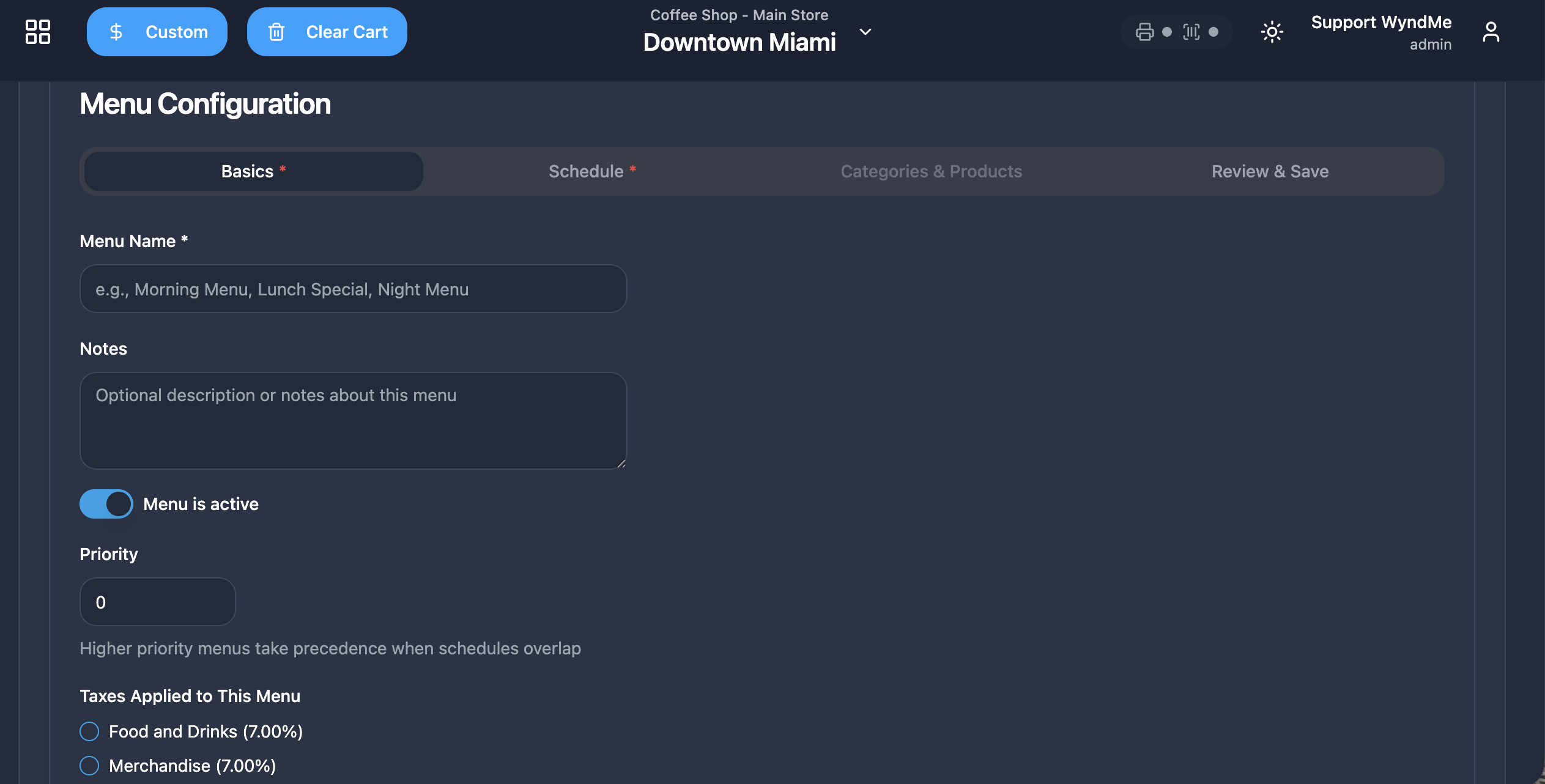
Build as many menus as you need and tell them when to be live. Breakfast, lunch, happy hour, late night and holiday menus switch on their own using your store timezone — never UTC — so scheduling behaves the way your staff expects.
- Unlimited menus per store
- Day-of-week and time-of-day scheduling
- Holiday and special-date overrides
- Order type mapped to its own menu and pricing
- Store timezone drives every schedule and report
- Two restaurants, two menus, one login
Catalog
Modifiers, add-ons and a catalog you build once
Create modifier groups once and reuse them across the menu. Set what is required, what is optional and how many choices a guest can make, so tickets reach the kitchen correct the first time.
- Reusable modifier and add-on libraries
- Required and optional groups with min and max rules
- Per-option pricing and nested choices
- Variants, sizes and barcodes
- Images, descriptions and category ordering
- Bulk import to move an existing menu over
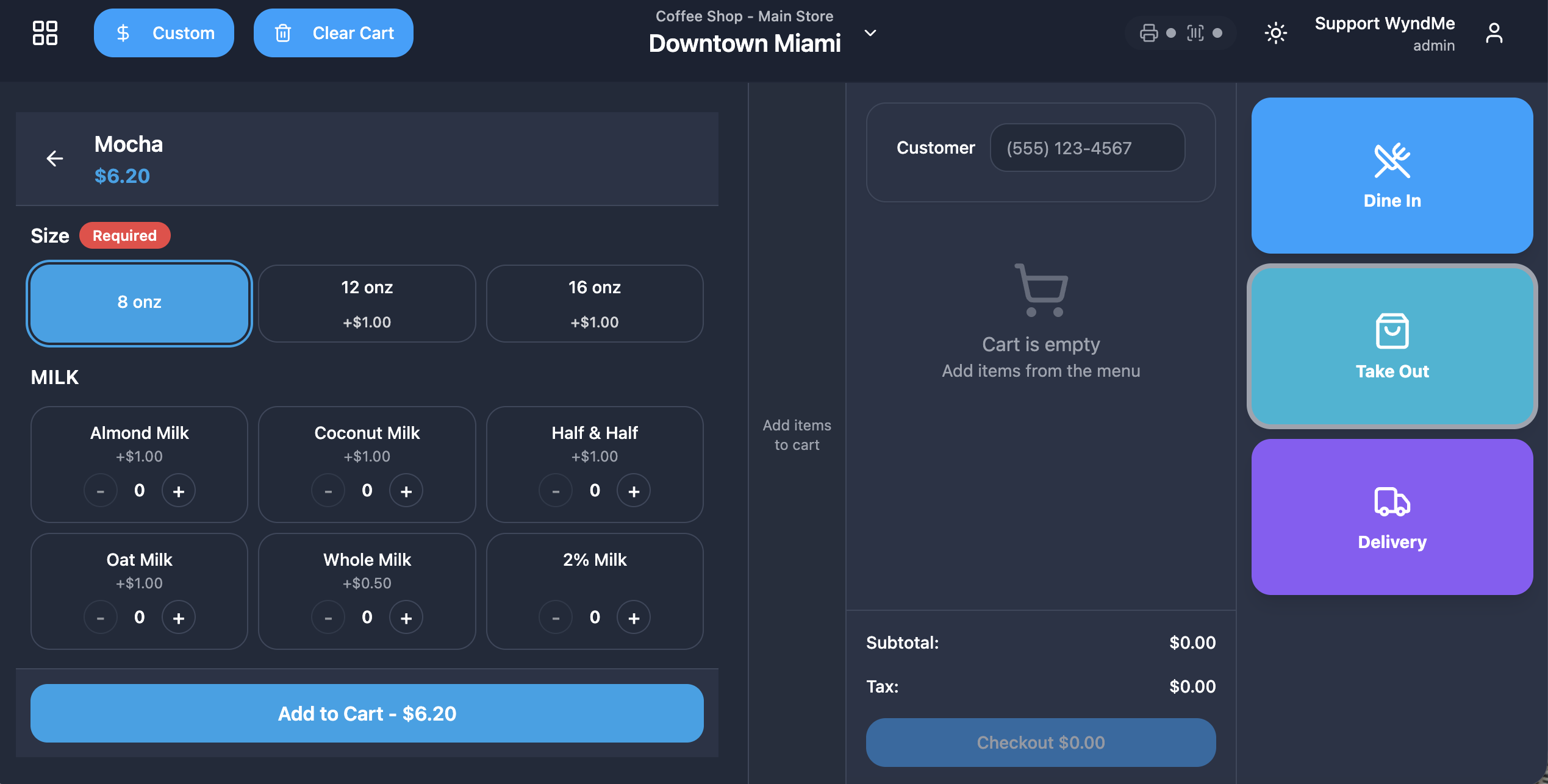
CDS & KDS
Screens that talk to each other
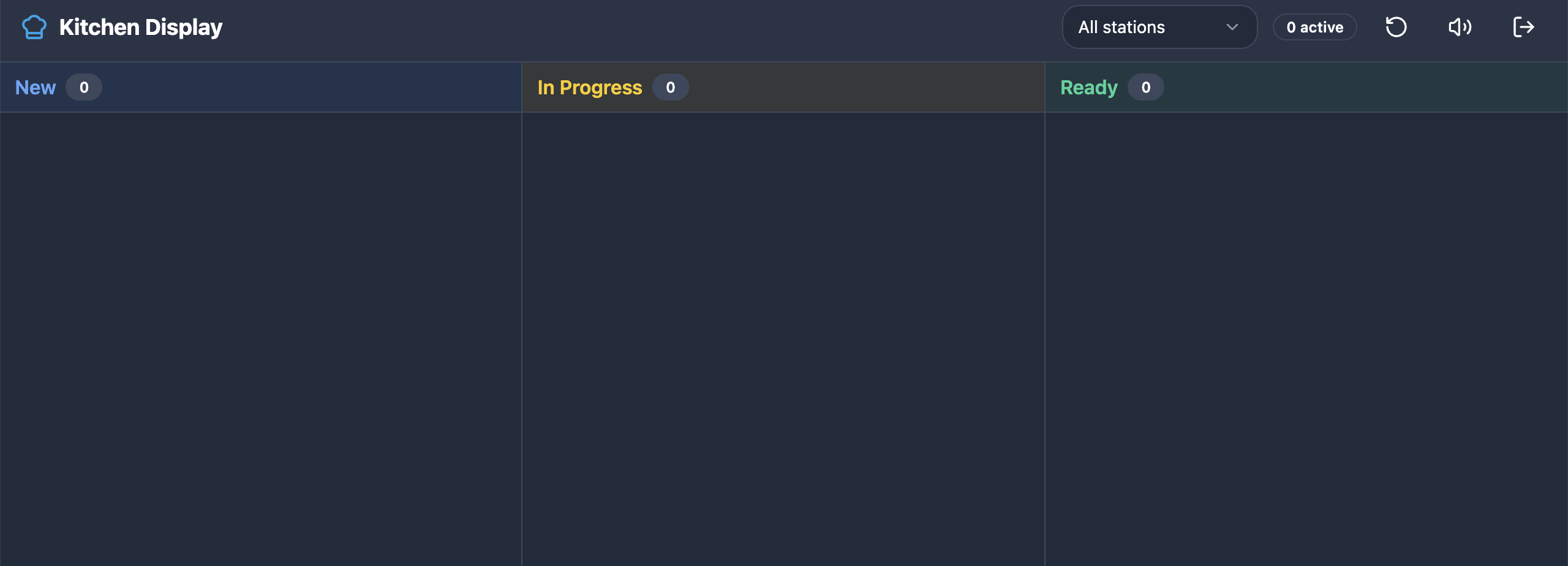
The customer display shows the guest exactly what is being rung up, then handles tip, loyalty and signature. The kitchen display gets the ticket the moment it is sent, with aging timers and bump and expo flows.
- Customer display with live cart and running total
- Tip prompt, loyalty enrollment and signature capture
- Digital receipt sent from the customer display
- Kitchen display with live tickets and item detail
- Bump, recall and expo views by station
- Ticket aging timers so nothing sits too long
Team
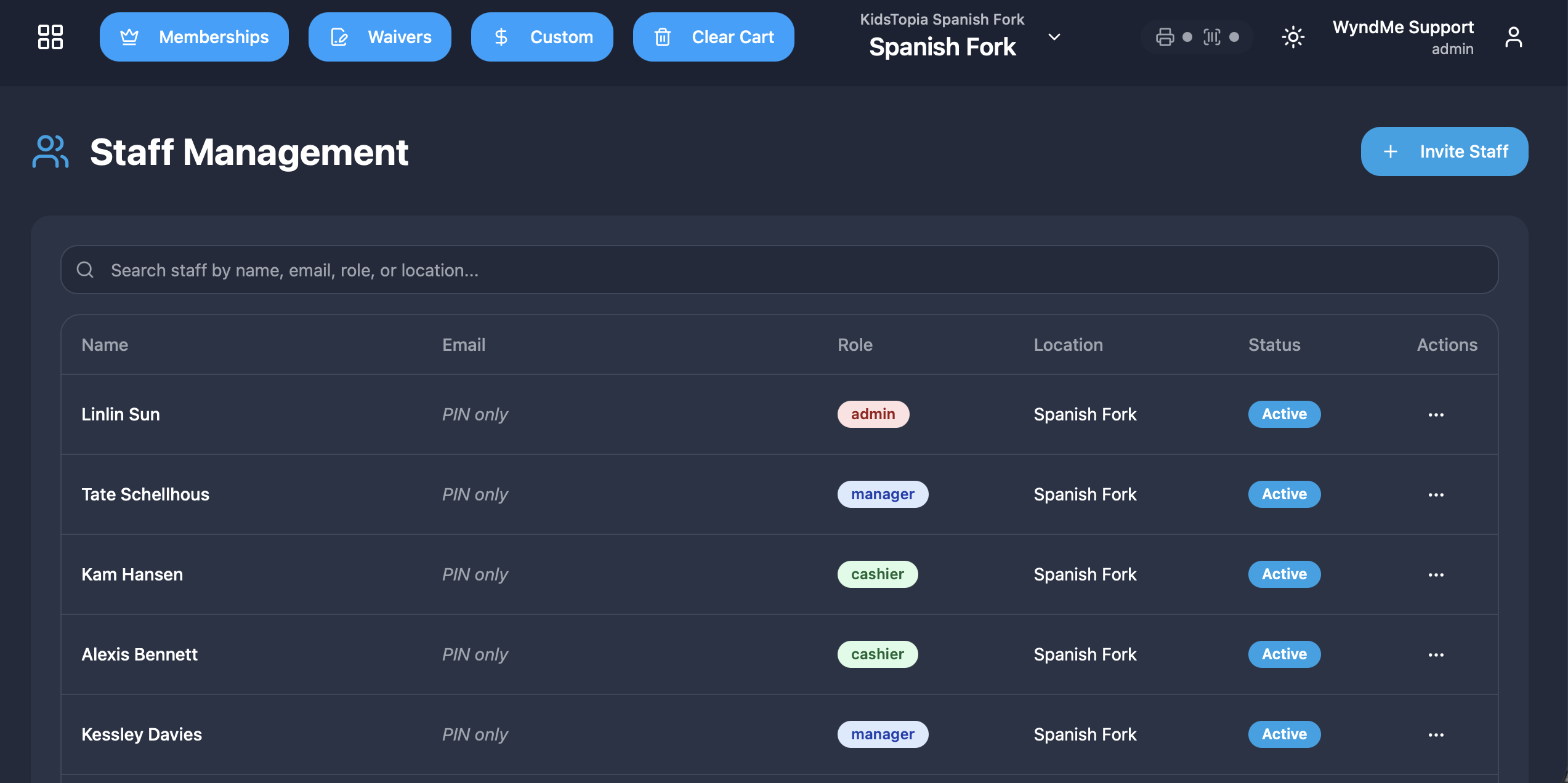
Staff, roles and time in one place
Invite your team by email, they sign in with a PIN at the register, and you decide exactly what each role can see and do. Clock-in, scheduling and time off all live in the same system as sales.
- Email invitations and PIN login at the register
- Roles and granular permissions per employee
- Clock in and clock out at the terminal
- Shift scheduling and time-off requests
- Labor and tips reported by employee
- Payroll-ready hours export
Back office
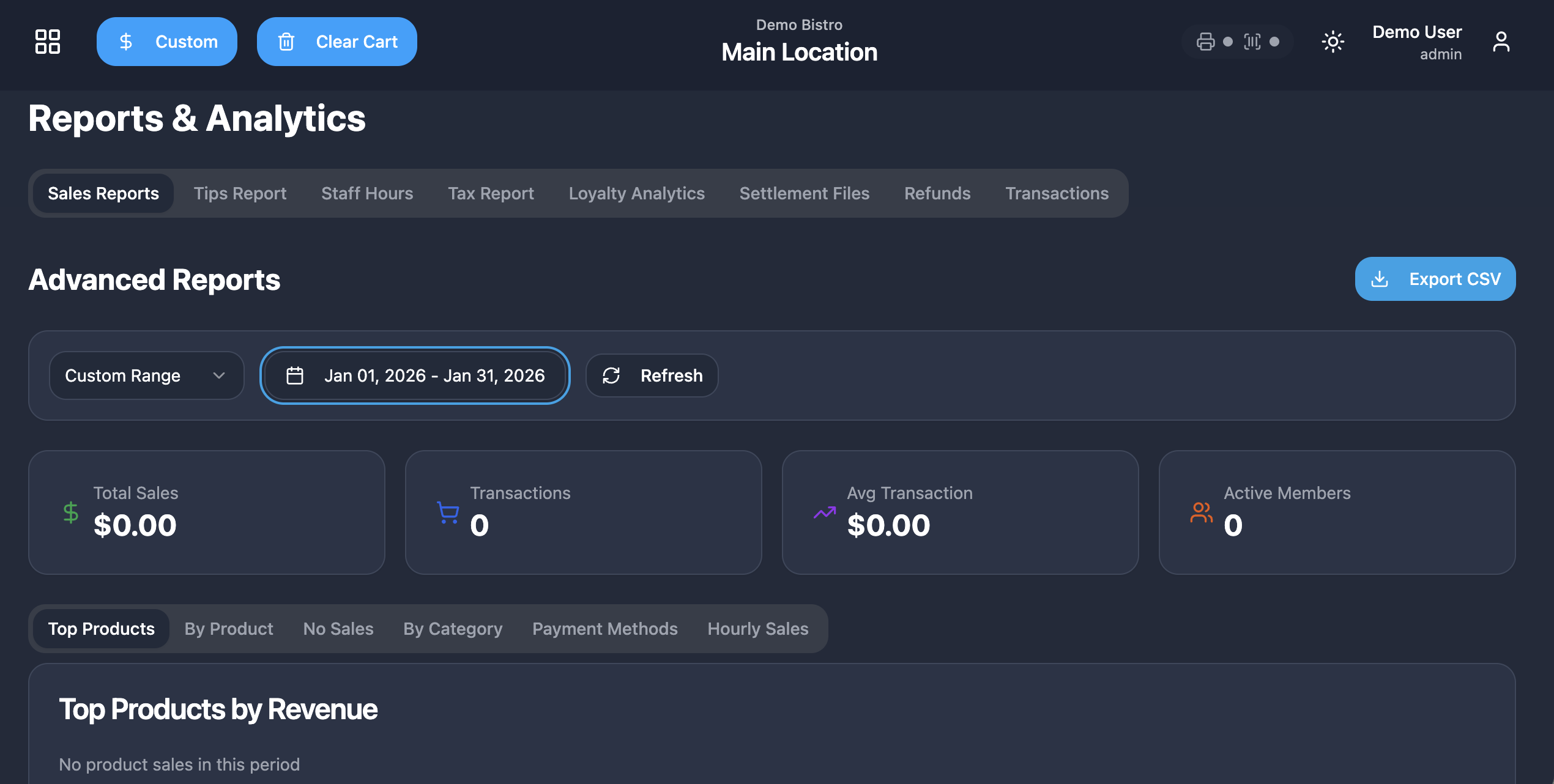
Reporting and multi-store control
A parent dashboard rolls every location into one view, and each store keeps its own settings, menus, taxes and staff. Settlements, refunds and deposits are all reconciled against the same data your reports use.
- Sales, tips, tax, discount and loyalty analytics
- KPI dashboard for the day, week and month
- Parent dashboard across every location
- Settlements, refunds and payout history
- Per-store settings, taxes and timezone
- Export anything you need for accounting
Getting started
Open in a day, not a quarter
- 1
Create your account
Sign up with your email and set up your organization. No sales call, no contract, no setup fee.
- 2
Run the wizard
The onboarding wizard sets up your store, taxes and staff, and gets your team on PIN login in two clicks.
- 3
Build your menu
Add categories, products and modifiers, or bulk import an existing menu, then schedule when each menu is live.
- 4
Pair hardware and sell
Plug in your screens, printers and terminal. They register themselves and you are taking orders.
Payments
Payments are already built in
You never shop for a merchant account, never sign up with a third-party processor, and never pay a gateway. We process the payment, settle it, and deposit the money in your bank account — and card payment processing is the only thing you ever pay for.
Cards & cash
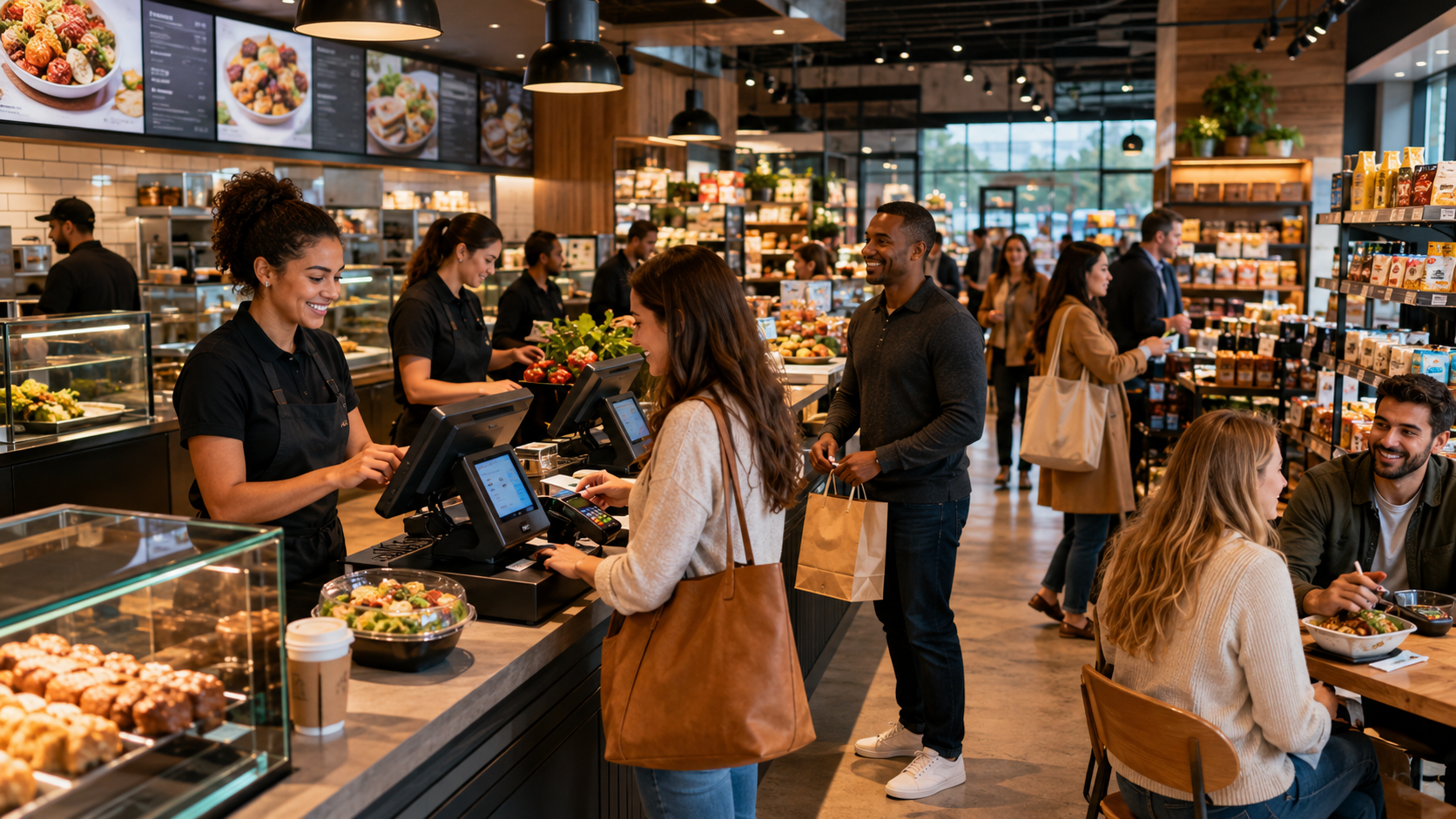
Credit, debit, contactless and cash at the register, with split tender across payment types on the same ticket.
Terminals that pair themselves
Pair and activate a terminal from the back office. Cancel a transaction mid-flow if the guest changes their mind.
Tips & gift cards
Tip prompts on the customer display, gift card sales and redemptions, all reconciled automatically.
Refunds done right
Referenced refunds tied to the original order, or unreferenced refunds when you need them, fully audited.
Deposits to your bank
Settlements batch daily and payouts land in your business bank account. No membership fee, no monthly fee, ever.
Hardware
Cutting-edge hardware, sold at cost
Main POS screen, customer display, kitchen display, printers, scanners and payment terminals — any configuration you need. We add zero margin: hardware is sold at our cost plus shipping. Payment plans are available, and for high-volume operations doing $50K or more in monthly revenue, hardware can be free.
Main POS screen
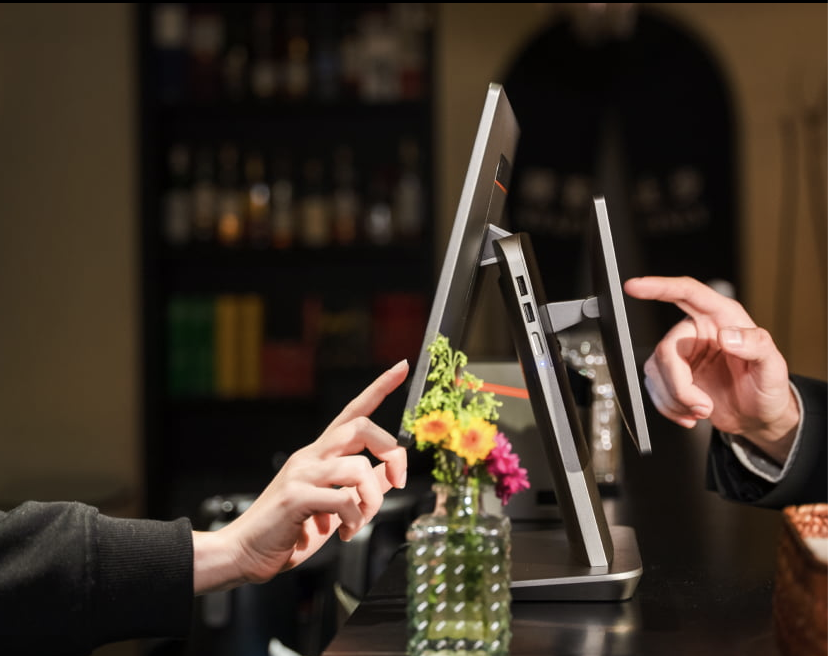
A fast, modern touch terminal for the register, counter or bar — configured before it ships.
Customer display (CDS)
Guest-facing screen with live cart, tip prompt, loyalty enrollment, signature and digital receipt.
Kitchen display (KDS)
Sunmi-class kitchen screens with live tickets, bump and expo flows and ticket aging timers.
Printers & scanners
Receipt and kitchen printers with routing, diagnostics and self-test, plus barcode scanners for retail items.
Payment terminals
Card terminals that pair, activate and register themselves, with heartbeat monitoring built in.
Any configuration
One counter or twenty stations — we spec, configure and ship the exact setup your operation needs.
And everything else that keeps it running
- Printer management, routing and diagnostics
- Device auto-registration, heartbeat and self-test
- Barcode scanning at the register
- Back office hub filtered by role and permissions
- Multi-tenant architecture for franchises and groups
- Store timezone drives all logic and reporting
- Automated emails: staff invitations, receipts, gift cards
- Parent dashboard across all locations
- Help center and in-app guidance
- Admin danger zone with safe organization deletion
- Gift card balances shared across stores
- AI connections through MCP for ChatGPT and Claude