


Solutions · Invoicing
Invoicing software that is free — and gets you paid
WyndMe Invoicing is the complete billing tool for your business: clients, products, estimates, invoices, subscriptions, time, expenses and reports. Payment processing is already built in, so you never have to sign up with Stripe or any other processor. Your client pays by card or bank, and the money is deposited into your bank account.

One tool from the first estimate to the money in your bank
Most businesses stitch together an invoicing app, a payment processor and a spreadsheet. WyndMe Invoicing is all of it in one place. You add your clients and what you sell, send an estimate or an invoice, and your customer pays online in a couple of clicks. Every payment is recorded against the invoice automatically, so you always know who paid, who owes you, and what is overdue.
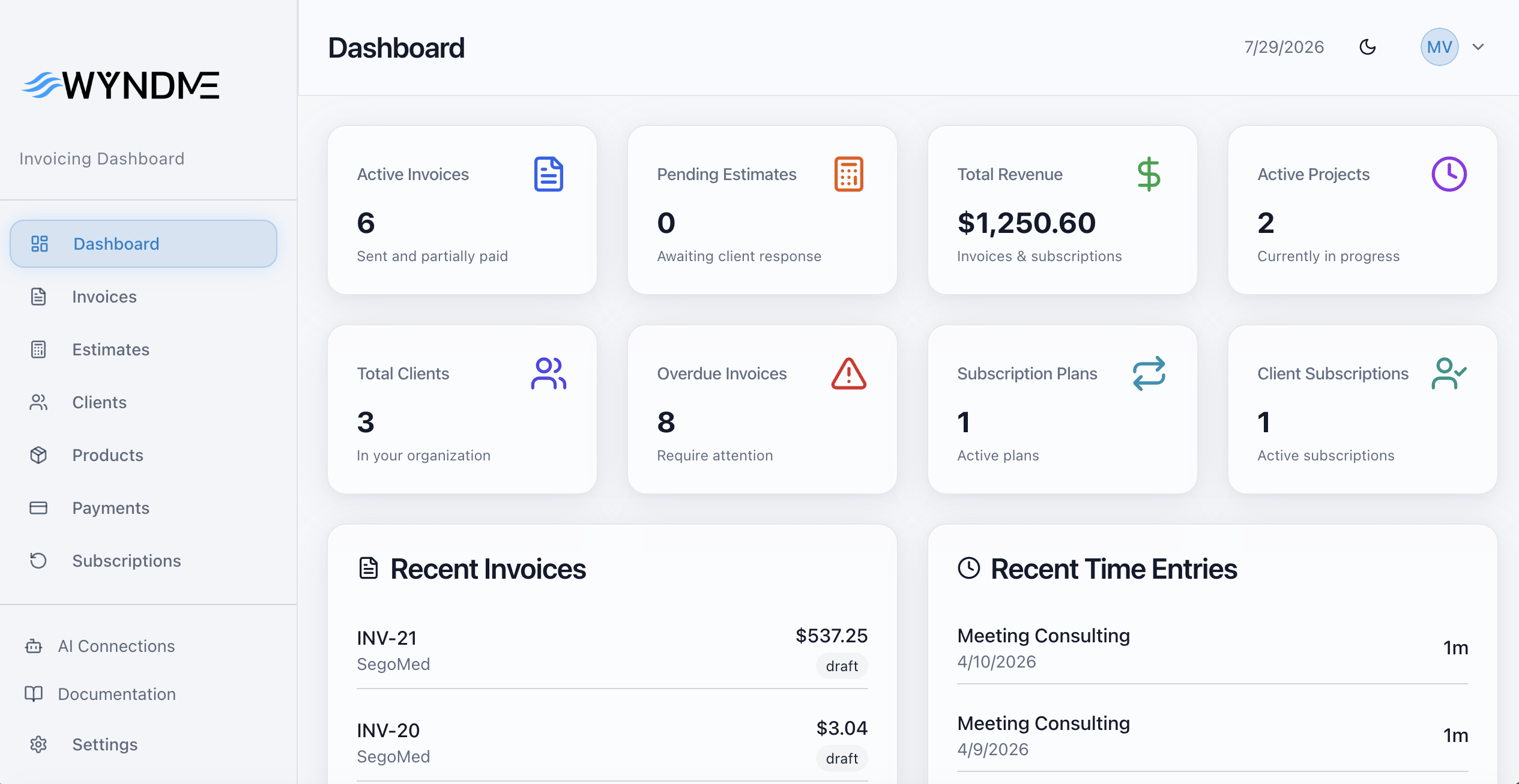
Quote it
Send a professional estimate, get approval online, and convert it into an invoice in one click.
Bill it
Create and send branded invoices by email, add taxes, deposits and recurring plans, and let reminders chase payment for you.
Get paid
Your client pays by card or bank from their own portal, and we deposit the funds into your bank account.
Everything included
Everything you need to bill and get paid
One tool for quotes, invoices, recurring billing, time, expenses and reporting — with payment processing already built in.
Invoices
Create, send, track, refund and cancel invoices across their full lifecycle, with your own branding.
Estimates
Quote a client, collect approval online, and convert the approved estimate into an invoice in one click.
Clients
Full client records connected to every invoice, estimate, subscription and payment you have ever sent them.
Products
One-off and recurring items you can drop onto any invoice, so billing takes seconds.
Payments
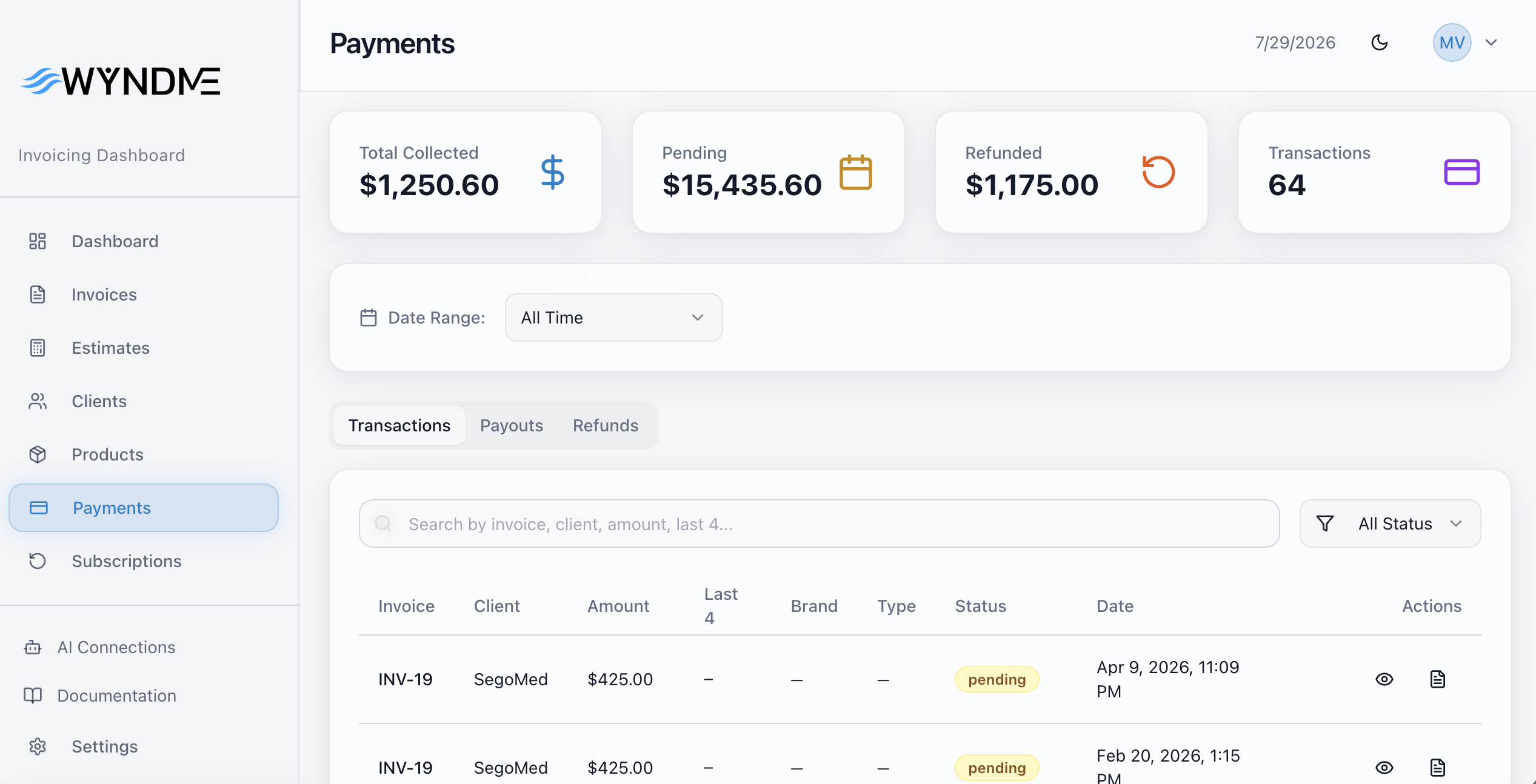
Card and bank payments processed by WyndMe and recorded against the invoice automatically.
Subscriptions
Recurring plans that invoice and charge your clients on schedule, without you lifting a finger.
Time tracking
Log project hours against a client and turn tracked time into an invoice line.
Expenses
Record expenses with receipts and bill them back to the client on the next invoice.
Reports
See what is paid, outstanding and overdue, with reporting across clients, products and periods.
Client portal
Every client gets a magic-link portal where they can view all their invoices and pay their way.
Team & roles
Invite your team and control who can see and do what across the organization.
AI connections
Connect ChatGPT or Claude through MCP and work with your invoicing data from your assistant.
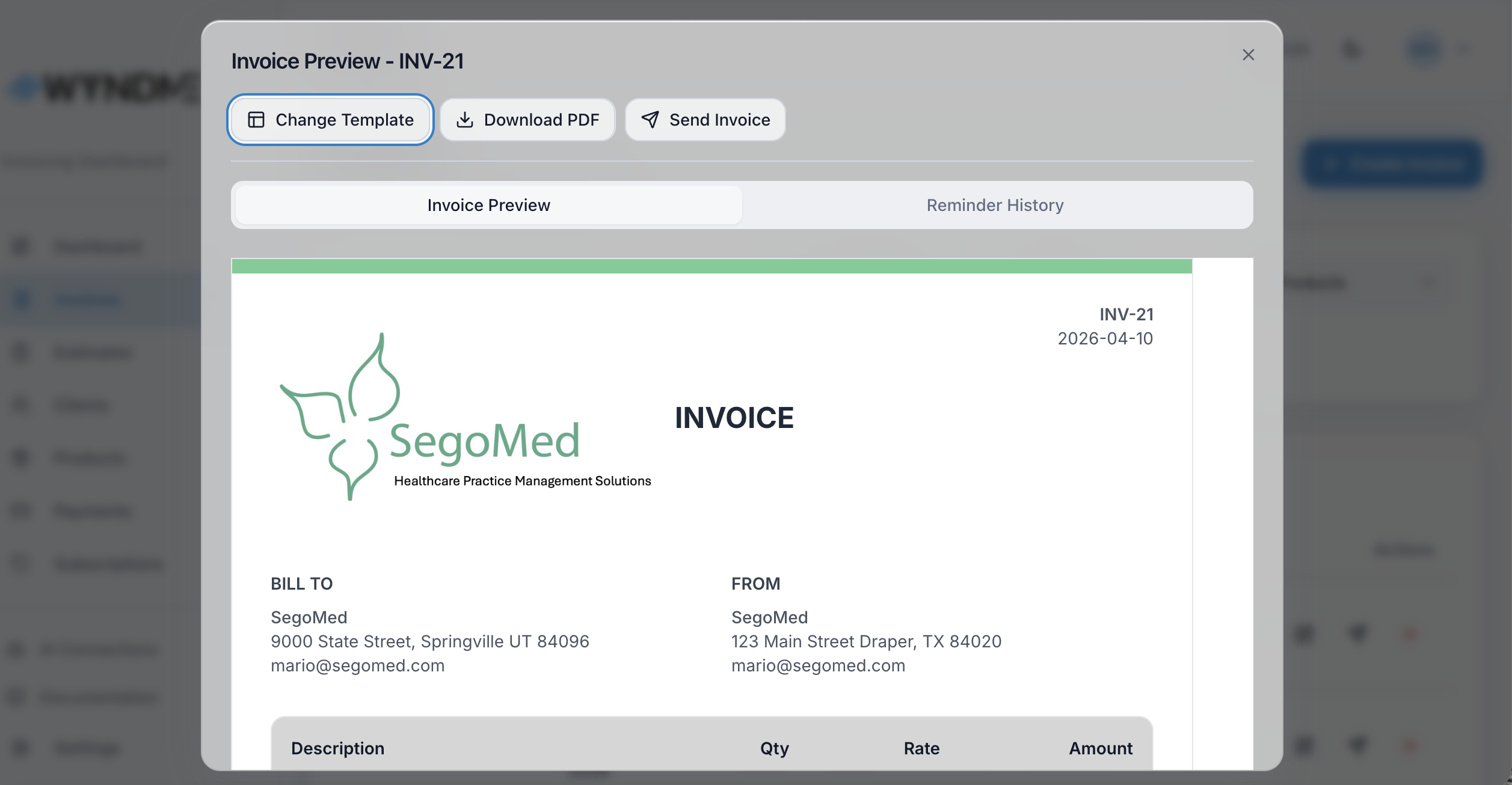
Create & send
Professional invoices in seconds
Pick a client, drop in your products, add tax and a deposit if you need one, and send. Your invoice carries your logo, your colors and your terms.
- Branded templates with your logo, currency and tax rates
- Deposits, partial payments and discounts
- Automatic reminders that follow up until you are paid
- Estimates that convert to invoices in one click
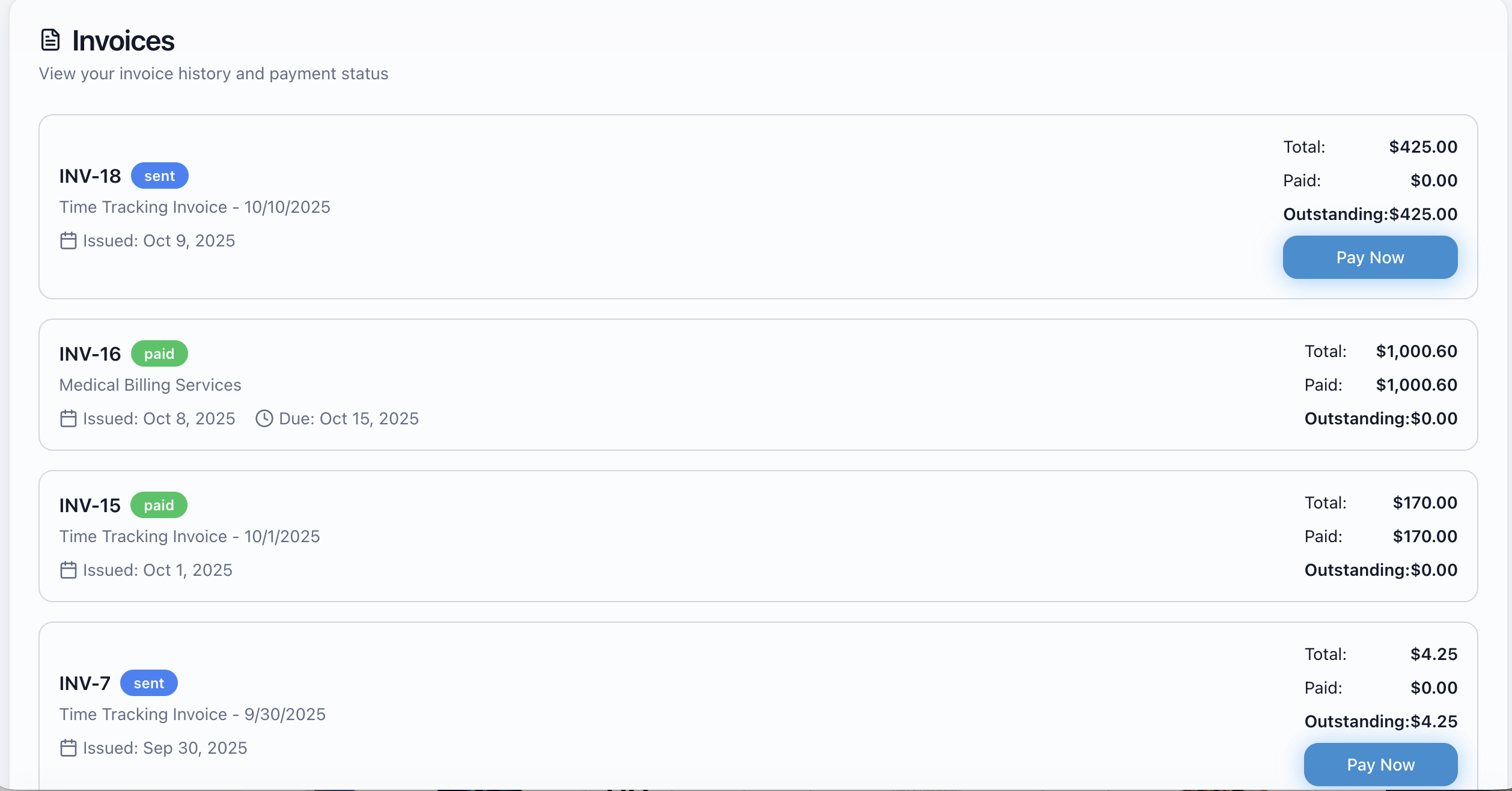
Get paid
Your clients pay their way, from their own portal
We process the payments ourselves — credit and debit cards and bank accounts. Your client opens a magic link which opens a client portal, sees every invoice and estimate you have sent, and pays in a couple of clicks. The money is deposited into your bank account.
- Cards and bank payments accepted out of the box
- No Stripe, PayPal or merchant account needed
- Payments recorded against the invoice automatically
- Payouts deposited straight to your business bank account
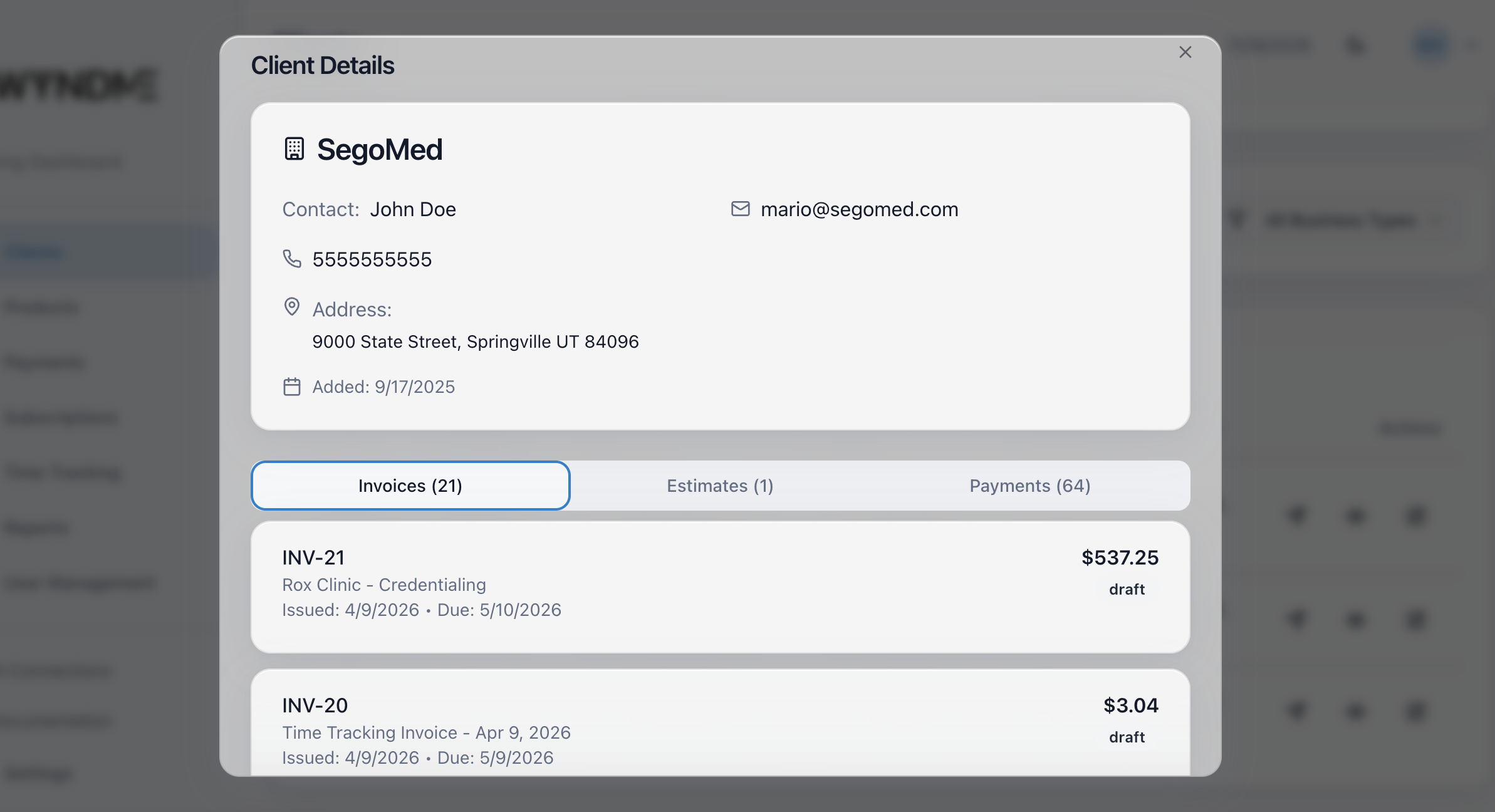
Bill on repeat
Recurring revenue on autopilot
Put clients on a plan and let WyndMe issue the invoice and take the payment on schedule. Track time and expenses in between, and everything lands on the next bill.
- Subscriptions with automatic invoicing and charging
- Time tracked per project, billed per hour
- Expenses with receipts, rebilled to the client
- Reports that show paid, outstanding and overdue at a glance
How it works
From set-up to money in the bank
Four steps. No processor to sign up with, no contract, no monthly bill.
- 1
Set up your business
Add your company details, logo, currency and tax rates once. Your invoice template is ready to go.
- 2
Add clients and products
Keep every customer in one place and create the one-off or recurring items you sell.
- 3
Send an estimate or invoice
Quote first and convert on approval, or invoice directly. Reminders chase payment for you.
- 4
Get paid to your bank
Your client pays by card or bank in their portal. We process it and deposit the funds to your account.
Payments
We process the payments — cards and bank accounts, all included
You do not need Stripe, PayPal, a merchant account or any other company. WyndMe processes the payments for you. Your clients pay their way, we manage the whole payment flow, and the money is deposited into your bank account. No payment processing cost, no membership fee, no setup fee, no monthly fee. Just one simple fee on invoices that actually get paid.
Cards
Credit and debit cards accepted online, securely, with no separate processor account.
Bank accounts
Clients can pay directly from their bank account when that is easier for them.
Clients pay their way
Every client gets a portal where they can see all their invoices and pay the way they prefer.
Deposited to your bank
We manage the payouts and deposit the funds straight into your business bank account.
Nothing else to pay
No processing fees, no membership fees, no add-ons. It is all included.
The software is free. We only make money when you get paid.
There is no cost to use WyndMe Invoicing. Payment processing is included — cards, bank payments, the client portal and payouts to your bank account. We simply take 5% of every invoice that actually gets paid. That is it.
- $0 for the software
- $0 setup fee
- $0 monthly fee
- $0 membership fee
- $0 payment processing cost
- $0 per user
- No contracts, no hidden fees
Unpaid invoices cost you nothing. No Stripe or third-party processor account required — payment processing is included.
Questions, answered
Everything about pricing, payments and getting started.