


Solutions · Events
Sell tickets. Check people in. Get paid.
A complete event management and ticketing platform — venues, events, ticket types, promo codes, your own storefront, embeddable widgets, QR check-in, wallet passes and reporting. The software is free forever. You only ever pay 4% + $0.15 per transaction.

One platform from the first ticket to the door
Most organizers stitch together a ticketing site, a payment processor, a scanner app and a spreadsheet — different logins, different bills, numbers that never match. WyndMe Events is one system: your organization owns its venues, events, ticket types, storefront and team, and every ticket sold flows straight through to your bank account.
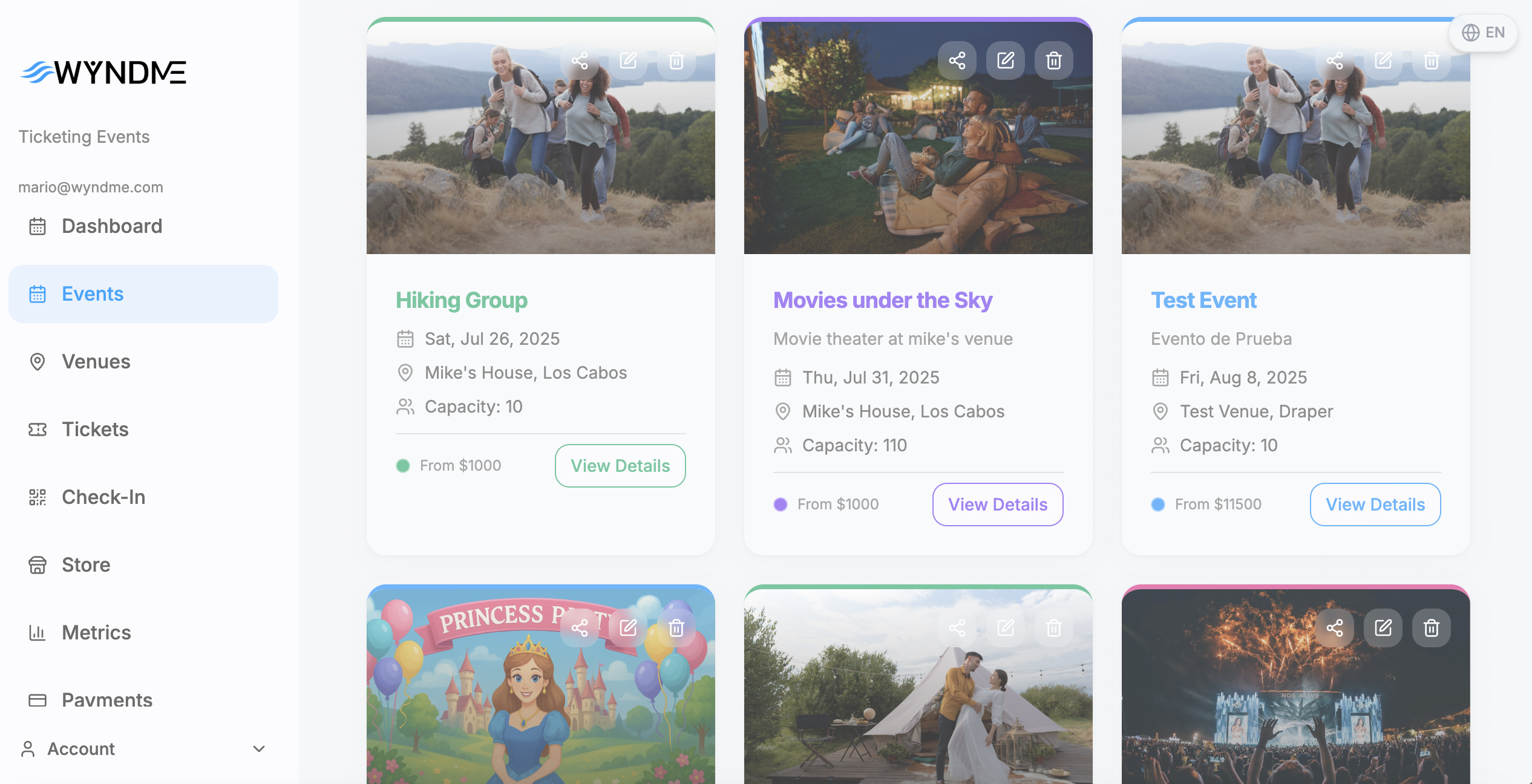
Everything connects
Organizations own venues. Venues host events. Events define ticket types. Tickets are created the moment someone buys, and every purchaser becomes a recognized identity across your future events.
Your own environment
Multi-tenant from day one. Your events, venues, branding, payment settings, emails and integrations are fully isolated from every other organization on the platform.
Roles for the whole team
Admins run everything. Event Organizers manage events, venues, tickets and the store. Event Staff get a check-in-only view with no access to financial data.
Everything included
Every feature. No tiers, no add-ons, no upsells.
Everything below is part of the free platform. There is no premium plan to upgrade to.
Venues
Physical, virtual or hybrid venues with addresses, maps, parking, amenities, streaming links and capacity — reusable across every event.
Events
Dates, venue, images with focal-point control, logo, reminders, per-event brand colors and a live preview before you publish.
Ticket types & inventory
Unlimited tiers with pricing, capacity, sale windows and real-time availability that can never oversell.
Promo codes
Percentage or fixed discounts with usage caps, validity windows and restrictions to specific ticket types.
Checkout questions
Collect anything you need at purchase — short text, email, phone, dropdown or long answer, required or optional.
Ticket management
Search, filter, refund, resend, export to Excel, and create manual, complimentary or reserved tickets in bulk.
QR check-in
Scan tickets with any phone, tablet or laptop camera. Instant validation, audio feedback and live door statistics.
Online store
Your own branded storefront at a custom URL with event cards, FAQs, colors, logo and banner — fully responsive.
Embeddable widgets
Drop a list or calendar of your events onto any website with a generated embed code and a live device preview.
Automated emails
Confirmations, receipts, RSVPs, refund alerts, event reminders and daily sales summaries — sent automatically.
Payments built in
Cards and bank payments processed by WyndMe, settled next business day into your account. No third-party processor.
Performance metrics
Gross revenue, tax, fees, net payout, attendees, capacity remaining and purchaser exports, filtered by date range.
Integrations
HubSpot, Salesforce, QuickBooks, Calendly and custom webhooks — all non-blocking and always in sync.
Team & roles
Invite your team by email and assign Admin, Event Organizer or Event Staff. Navigation adapts to each role.
Digital wallets
Attendees add tickets to Apple Wallet or Google Wallet with the QR code, event, venue and their name on the pass.
A closer look at how it works
Venues
Any format - in person, online or both
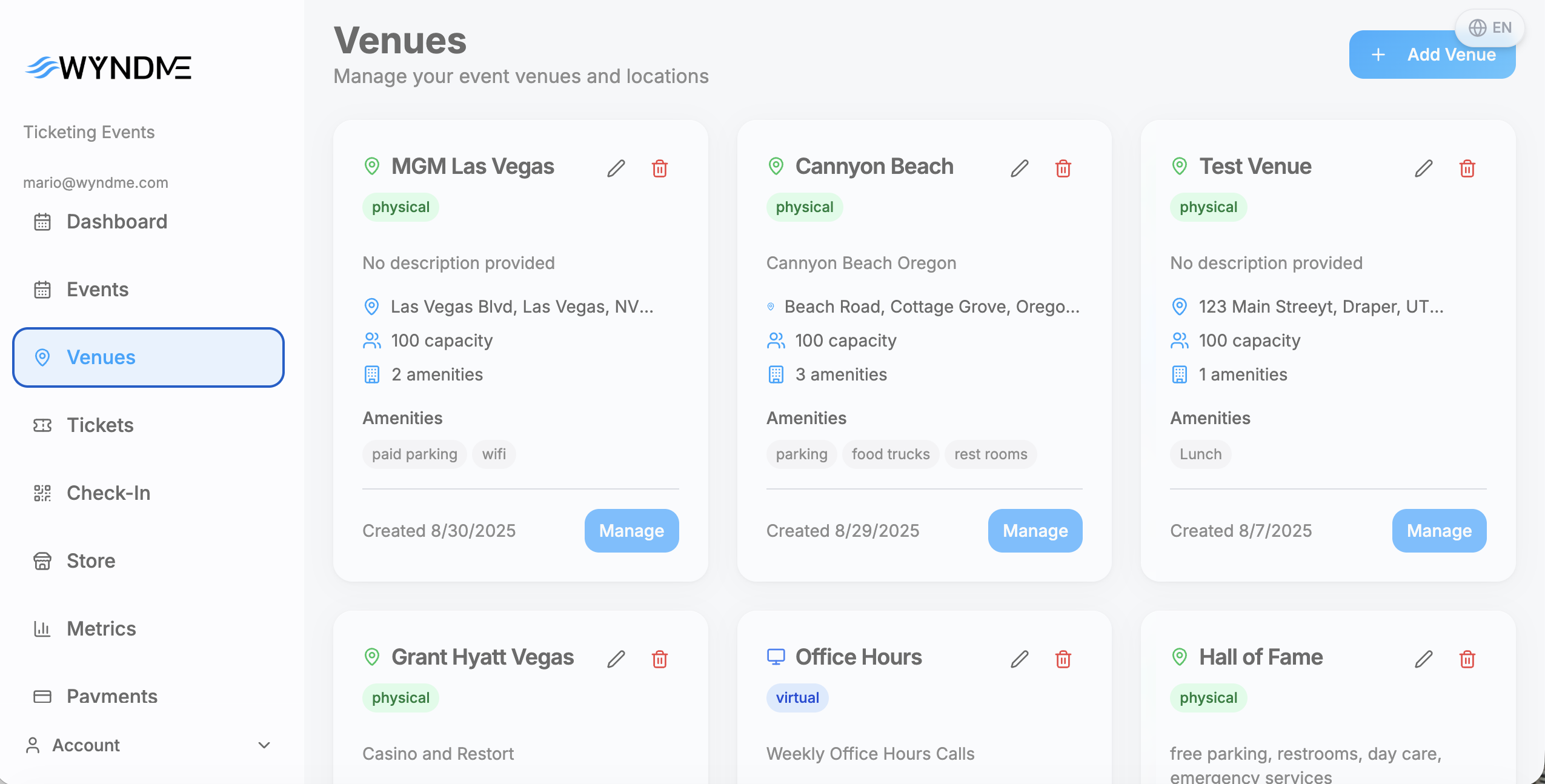
Set a venue up once and reuse it across every event you run. WyndMe handles physical rooms, virtual rooms and hybrid events that need both at the same time.
- Physical venues with full address, city, state, zip and country
- Parking notes, amenities list and an embedded map for directions
- Virtual venues on Zoom, Teams, Google Meet or any platform
- Meeting URL, ID and password fields, plus custom RTMP streaming
- Embedded video code for live streaming inside the event page
- Hybrid venues with separate in-person and online capacity
- Venue contact email, phone, website and description
- Reusable across unlimited events
Events
Events that look like they were designed for you
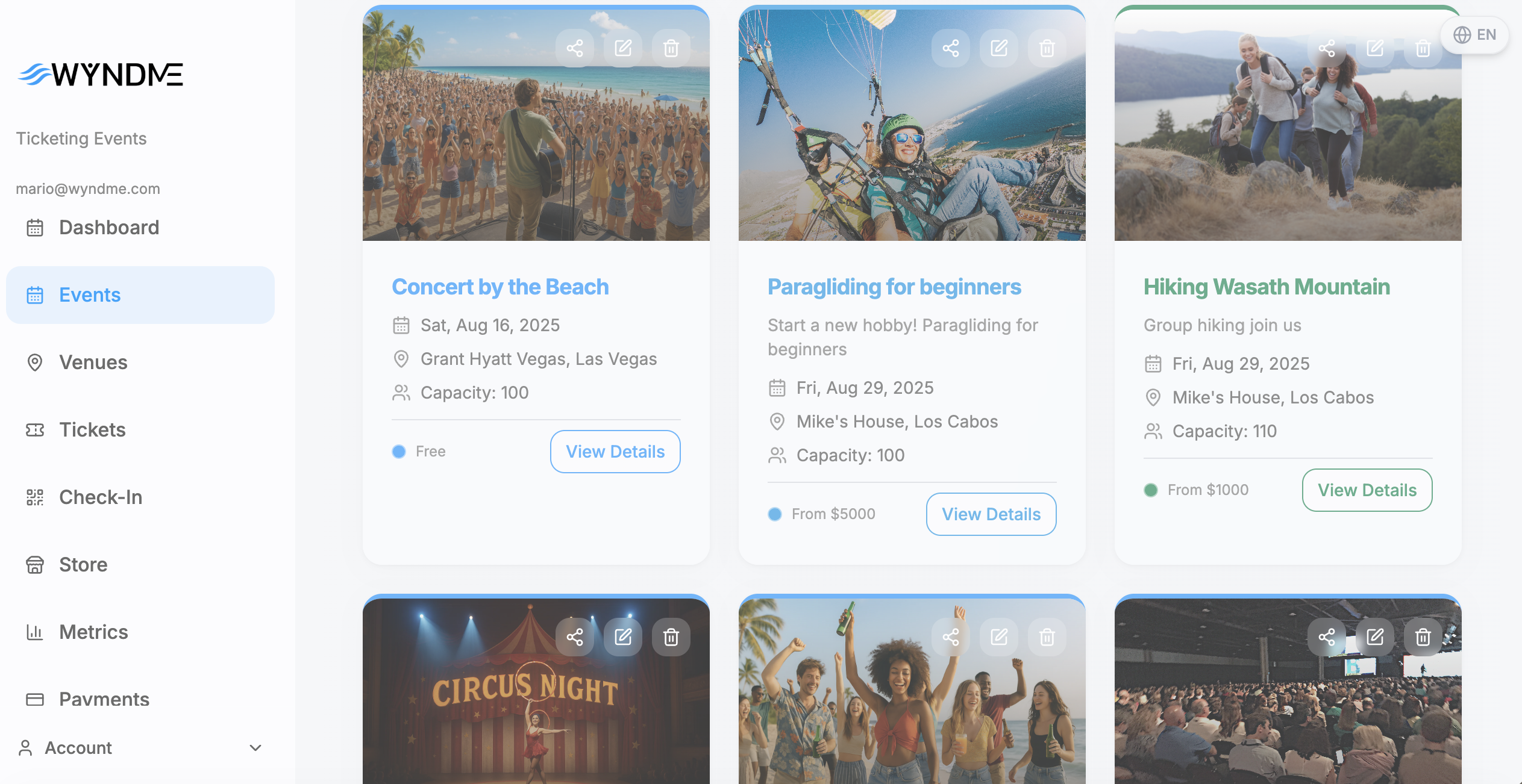
Every event carries its own identity — imagery, colors, logo and copy — and its own rules for tax, scheduling and reminders.
- Title, description, start and end dates with time selection
- Event image upload with focal point control for every screen size
- Company logo shown alongside event details
- Per-event primary, secondary and accent colors that override store defaults
- AI description refinement to polish your copy in one click
- AI-generated event artwork when you do not have a designer
- Important reminders field shown to attendees
- Automatic tax by event location, with manual rate or fixed-amount override
- Optional Calendly scheduling prompt after purchase
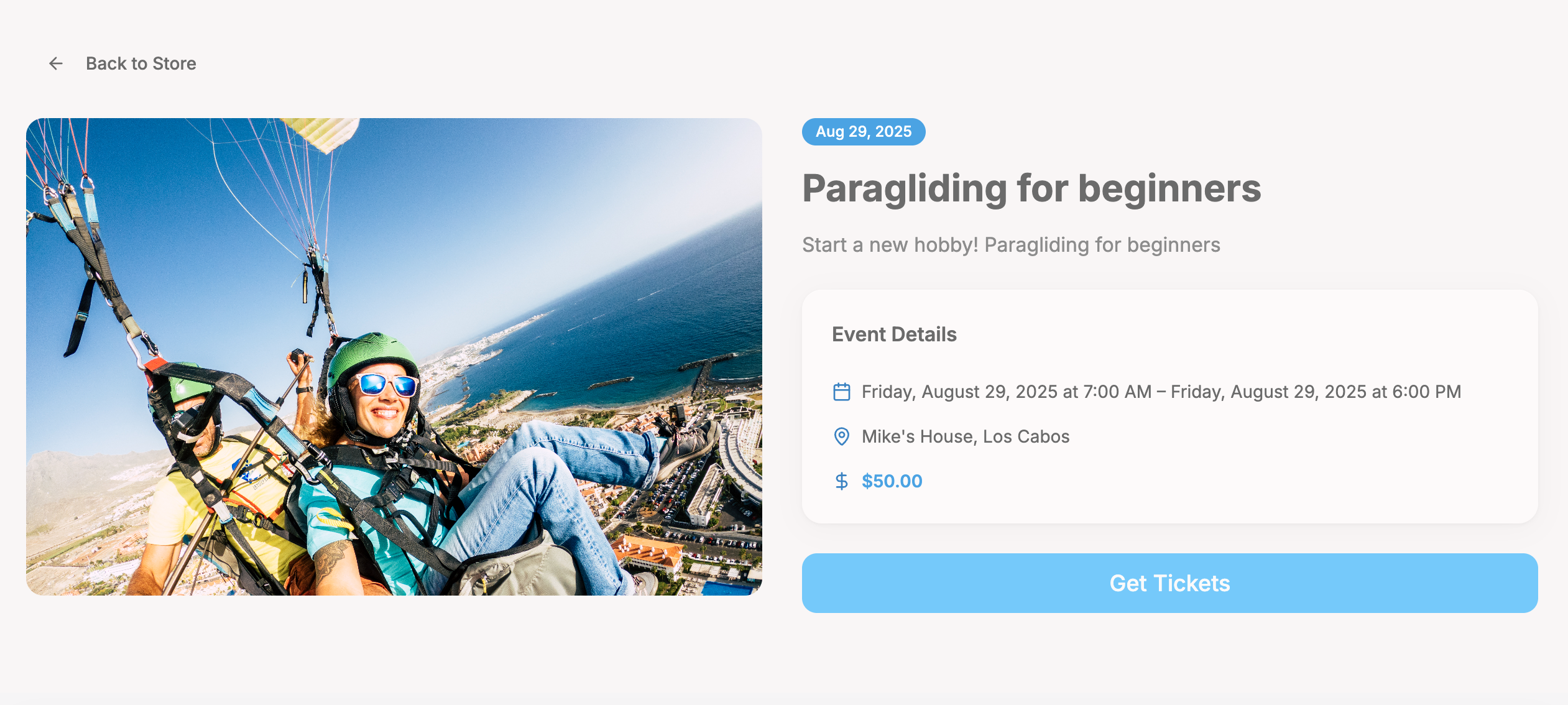
- Preview the public event page exactly as buyers will see it
Tickets & inventory
Inventory that can never oversell
Tickets are never pre-generated. A ticket record is created the moment someone buys or an admin issues one, and availability recalculates in real time as tickets sell, refund or cancel.
- Unlimited ticket types — General Admission, VIP, Early Bird, anything
- Free tickets at $0 for RSVP-style events
- Capacity per type, or leave it empty for unlimited
- Sale windows with optional start and end dates for phased releases
- Active/inactive toggle and sort order for store display
- Automatic sold-out state once capacity is reached
- Promo codes by percentage or fixed amount with usage caps
- Promo validity windows and per-ticket-type restrictions
- Custom checkout questions stored against each ticket
Store & widgets
Your storefront, and your events on any website
Sell from a branded WyndMe store at your own URL, or embed your events directly into a site you already own. Both stay in sync automatically.
- Custom store slug, store name and welcome text
- Logo, banner image and optional organization name on the banner
- Primary, secondary and accent colors applied across the whole store
- Event cards with date badges, price ranges and venue information
- Event visibility controls and sort order
- FAQ section with active toggles and custom ordering
- Fully responsive with a mobile-optimized purchase flow
- Event list and calendar widgets with grid or list layout
- Control widget size, event count and which fields show
- Live desktop, tablet and mobile preview before you deploy
Check-in
Door-ready check-in on the phone in your pocket
No dedicated scanners, no rented hardware, no app store download. Open the check-in screen on any device with a camera and start scanning.
- Camera QR scanning on phone, tablet or laptop
- Instant validation of authenticity and check-in status
- Clear success screen with attendee name and ticket details
- Clear error screen for invalid, used or cancelled tickets
- Distinct audio feedback for successful and failed scans
- Scan cooldown that prevents accidental duplicate scans
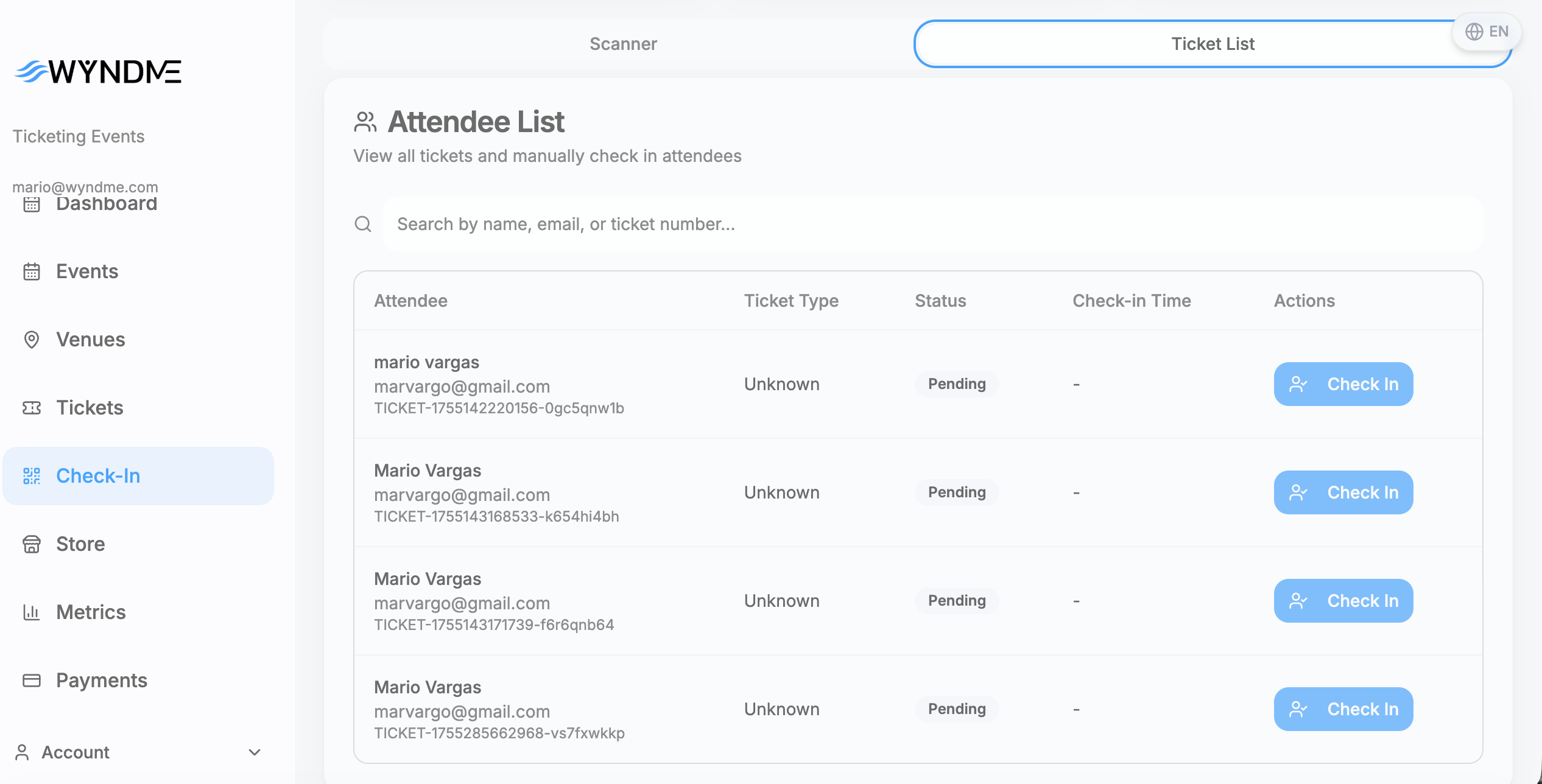
- Manual search by attendee name or ticket number
- Live stats: total, checked in and pending, broken down by ticket type
- Event Staff role sees check-in only — never your financials
Back office & reporting
Every ticket and every dollar, in one place
Manage tickets across all of your events from a single list, and see exactly what each event earned after tax and fees.
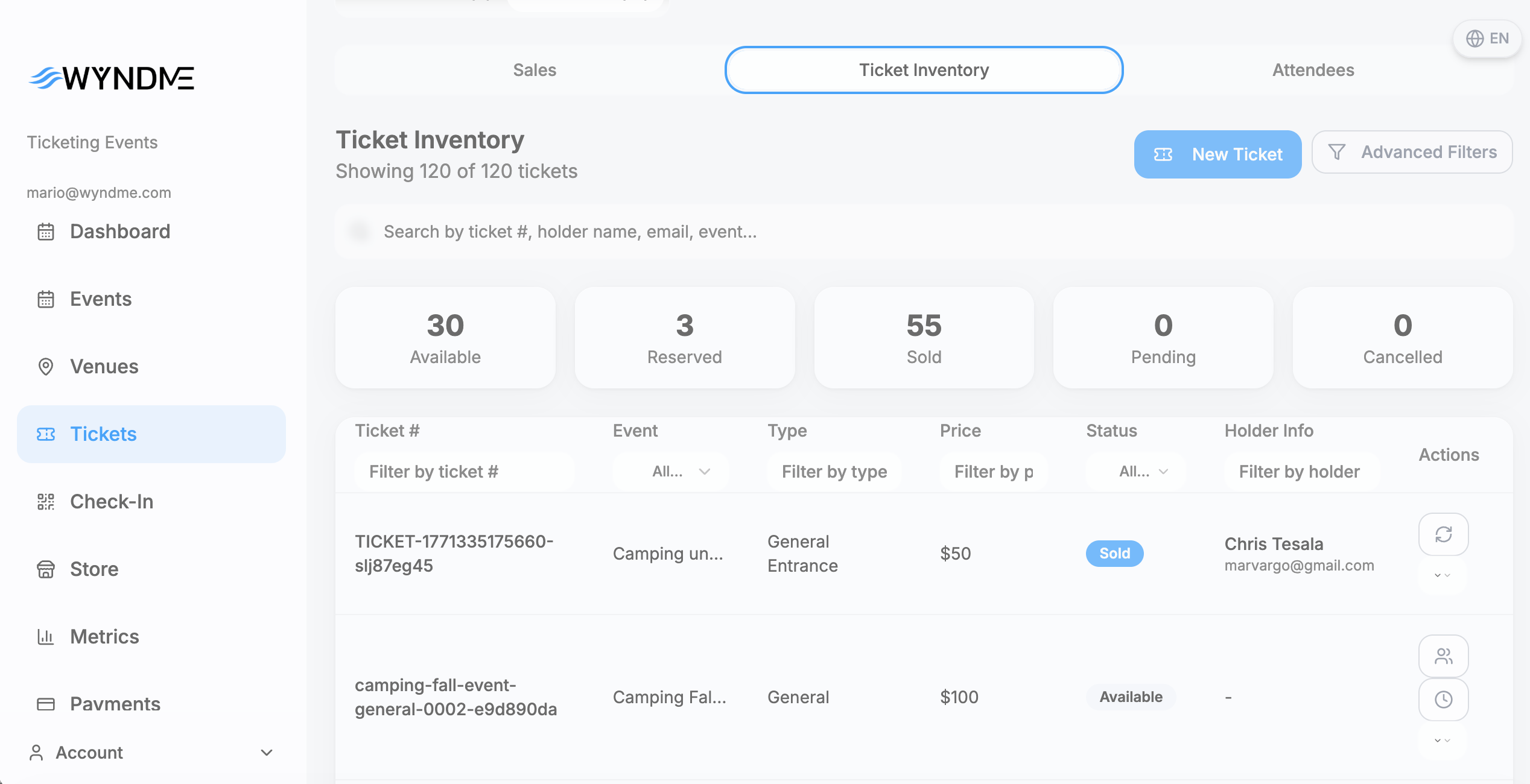
- Unified ticket list with filters by event, status and ticket type
- Search by attendee name, email or ticket number
- Six statuses: available, reserved, sold, pending, cancelled, refunded
- Manual and bulk ticket creation for walk-ups, VIPs and comps
- Resend confirmation emails with QR codes
- Process refunds and download full receipts
- Export tickets and purchasers to Excel
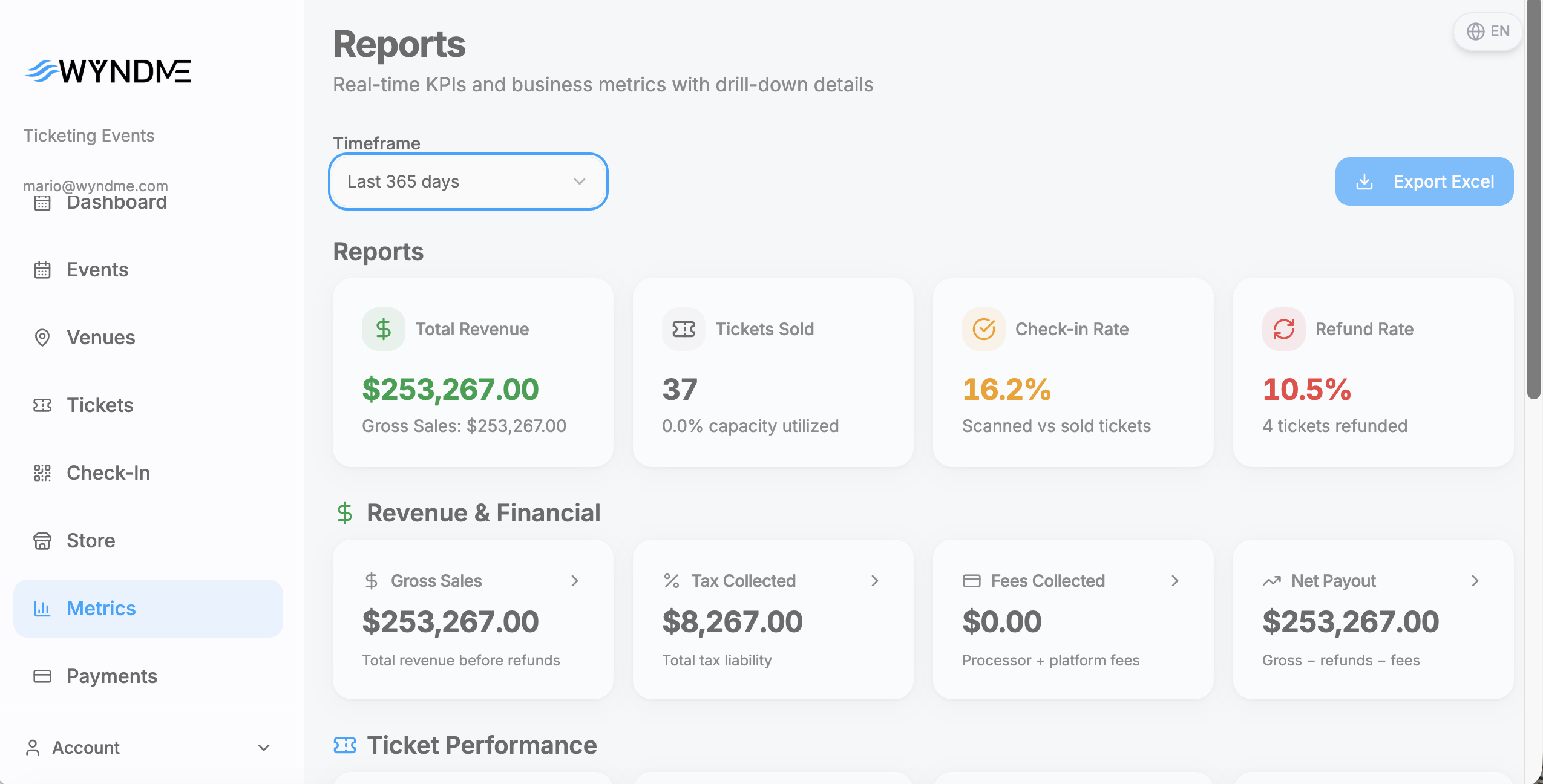
- KPI dashboard: events, tickets sold, revenue and attendees
- Gross revenue, tax collected, processing fees and net payout
- Card vs manual sales, comps, reserved and refunded counts
- Filter by last 7, 30 or 90 days, or all time
Buyer experience
What your attendees go through
- 1
Browse and choose
Attendees browse your public store, open an event and pick their ticket types and quantities from what is available.
- 2
Enter details
Name, email, phone and billing address, plus any custom checkout questions you configured for that event.
- 3
Pay securely
Payment is processed by WyndMe Payments. Free RSVP events skip this step entirely and go straight to confirmation.
- 4
Get the ticket
A confirmation page with QR tickets, a confirmation email with tickets attached, PDF download and Apple or Google Wallet passes. If Calendly is enabled, they are prompted to book a time.
Payments
Payments are part of the platform, not a plug-in
You never shop for a merchant account, never sign up with a third-party processor and never pay a gateway. We process the card, calculate the tax, settle the money and deposit it into your bank account the next business day. 4% + $0.15 per transaction is the only thing you ever pay.
Cards and bank
Buyers pay their way at checkout, on any device, with a secure payment step built into your own storefront.
Next-day payouts
T+1 settlement. Funds are available in your account the next business day after the transaction.
Tax handled
Automatic tax calculation from the event location, with a manual rate or fixed amount override per event.
Refunds and receipts
Refund any paid ticket from the back office. Receipts itemize event details, pricing, tax and payment.
Integrations
Connected to the tools you already run on
Every integration is fire-and-forget — it runs in the background and never slows down a purchase or a check-in. OAuth tokens refresh themselves, so you never re-authorize.
HubSpot CRM
Connect over OAuth 2.0 and sync contact information automatically on every ticket purchase and check-in.
Salesforce
Authorize securely through Salesforce and create or update leads automatically as tickets sell.
QuickBooks Online
Sync ticket sales as sales receipts, with idempotent syncing that never creates duplicate entries.
Calendly
Assign scheduling links per event and prompt buyers to book a time right after they purchase.
Custom webhooks
Point a URL at ticket purchase, check-in and refund events with a signing secret — perfect for Zapier or your own systems.
Never blocking
Integrations run asynchronously at the organization level, so an outage on their side never touches your checkout.
And everything else that keeps it running
- Ticket confirmation emails with QR codes attached
- RSVP confirmations for free events
- Ticket receipts with full pricing and payment breakdown
- Refund and cancellation alerts to buyers and admins
- Welcome, team invitation and password reset emails
- Daily sales summary sent to your organization
- Automated event reminders to ticket holders
- Email delivery tracking with automatic retry on failure
- Customizable from-name and per-notification toggles
- Team invitations by email with role assigned up front
- Pending invitation tracking with resend and delete
- Role-based navigation — people only see what they can use
- Multi-factor authentication by email with backup codes
- Session management and secure password reset
- Multi-tenant isolation of all organization data
- Settings organized into business, store, payments, communications, security and integrations
- Apple Wallet and Google Wallet passes for every ticket
- Custom Terms of Service URL shown at checkout
The software is free. Forever.
No membership fees. No monthly fees. No setup fees. No platform fees. No contracts. 4% + $0.15 per transaction covers everything — processing, ticketing, check-in, emails, wallets, integrations and support.
- No membership fee
- No monthly fee
- No setup fee
- No contract
- Next-day payouts
Free events cost you nothing at all — there is no transaction to charge.