


Solutions · Inventory
Know what you have. Everywhere. In real time.
A complete inventory and catalog system — products, variants, barcodes, bulk import, stock levels, valuation, multi-store control and reporting — wired directly into ordering, payments and your back office. $99 per month per organization. Payments built in. That is it.

One catalog. One sign-in. Every location.
Most businesses run inventory in one system, selling in another, and staff and reporting somewhere else. Numbers stop matching by the end of the first week.
WyndMe Inventory keeps a single set of records. Products, variants, categories, stock levels, modifiers, discounts, staff, permissions and reports all point at the same data — so when an item sells at any register, in any store, the count changes everywhere at once and the reports already agree.
One email or PIN login opens ordering, payments and the entire back office. No second website, no second URL, no second password.
Everything included
One subscription. The whole inventory system.
Nothing below is an add-on, an upgrade tier, or a per-user charge.
Product catalog
Create and edit products, categories, images, descriptions and prices from one manager, with fast product search.
Variants & barcodes
Size, color and option variants, with barcode fields and a built-in barcode generator for items that do not have one.
Bulk import
Load your whole catalog at once from a file, then duplicate any product in a click to build out families quickly.
Stock levels & KPIs
A live dashboard with Total Products, Low Stock, Out of Stock and Total Inventory Value on top of every list.
Low-stock alerts
Low-stock and out-of-stock states surface automatically so you reorder before you disappoint a customer.
Inventory valuation
Total value of everything on hand, updated as stock moves, ready for accounting and month-end.
Stock adjustments
Manual adjustments, counts, corrections and inventory operations with a clear record of what changed.
Automatic decrement
Stock drops as items are sold. No end-of-day sync, no export, no reconciliation ritual.
Multi-store & franchise
Multi-tenant architecture: one sign-in across every store, franchise and location, each isolated but rolled up.
Categories & menus
Group products into categories and multiple menus, each with its own products, prices, images and schedule.
Modifiers & add-ons
Reusable modifier and add-on libraries defined once, assigned to any product, with required or optional groups.
Discounts & custom charges
Named percentage or fixed-dollar discounts, plus ad-hoc custom charges rung straight from checkout with tax control.
Roles & permissions
Granular permissions enforced in the interface and in the database, so people only reach what they should.
Reports & analytics
Revenue, item, tax, tips, staff-hour and loyalty reporting with unified date filters and export.
Parent dashboard
A cross-store view for multi-location operators with per-store rollups and store creation built in.
How it works, in detail
Six areas that decide whether inventory software actually holds up in daily operation.
Catalog
A catalog that holds everything you sell
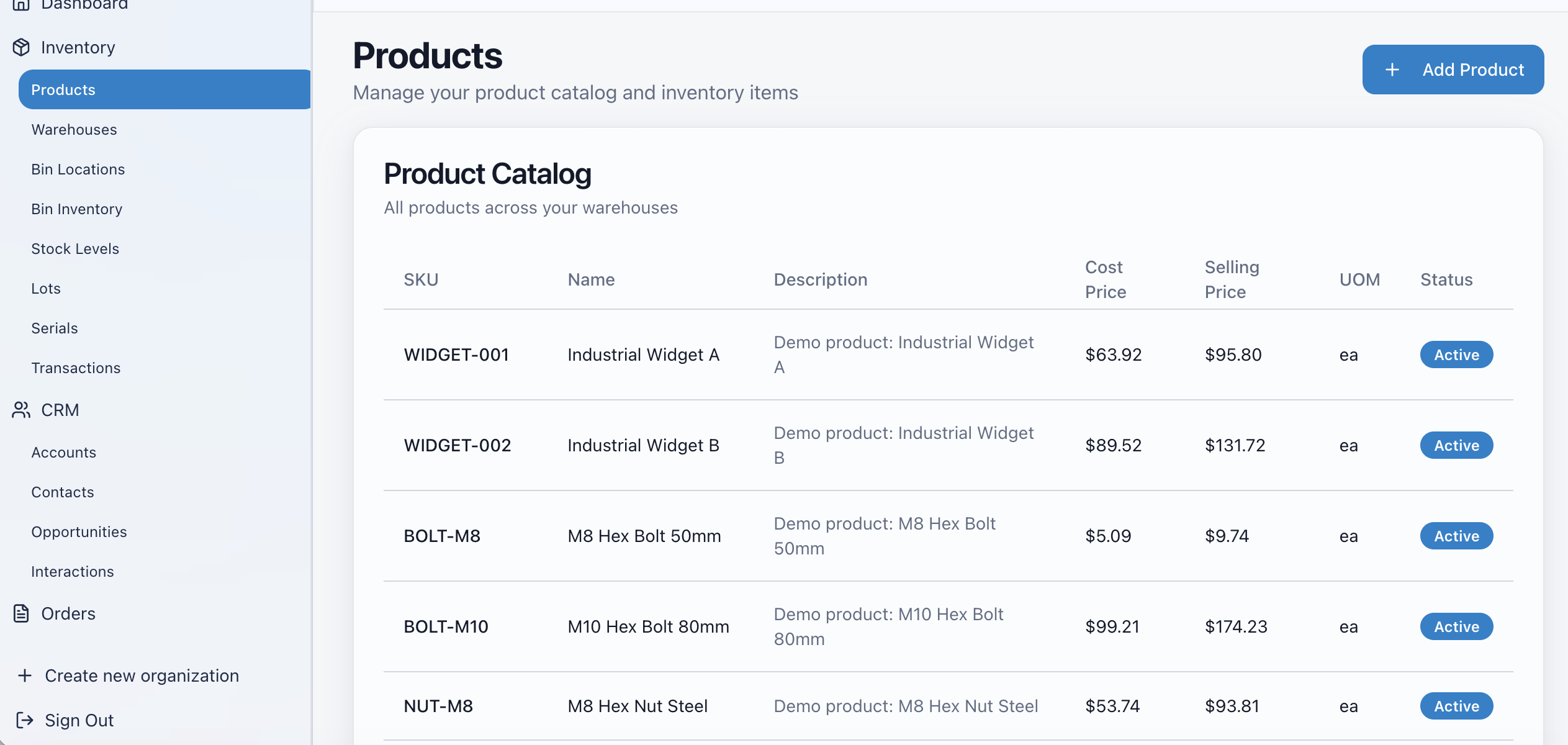
Every saleable item — goods, food, passes, gift cards, even one-off custom charges — is backed by the same product record, so nothing lives outside your inventory.
- Create and edit products, categories and variants with images and descriptions
- Barcode fields with a built-in generator for unlabeled items
- Quick duplicate to spin up product families in seconds
- Fast product search across the whole catalog
- Bulk product import to load or replace a catalog at once
- Prices, taxes and availability set per product
Stock control
Stock that keeps itself honest
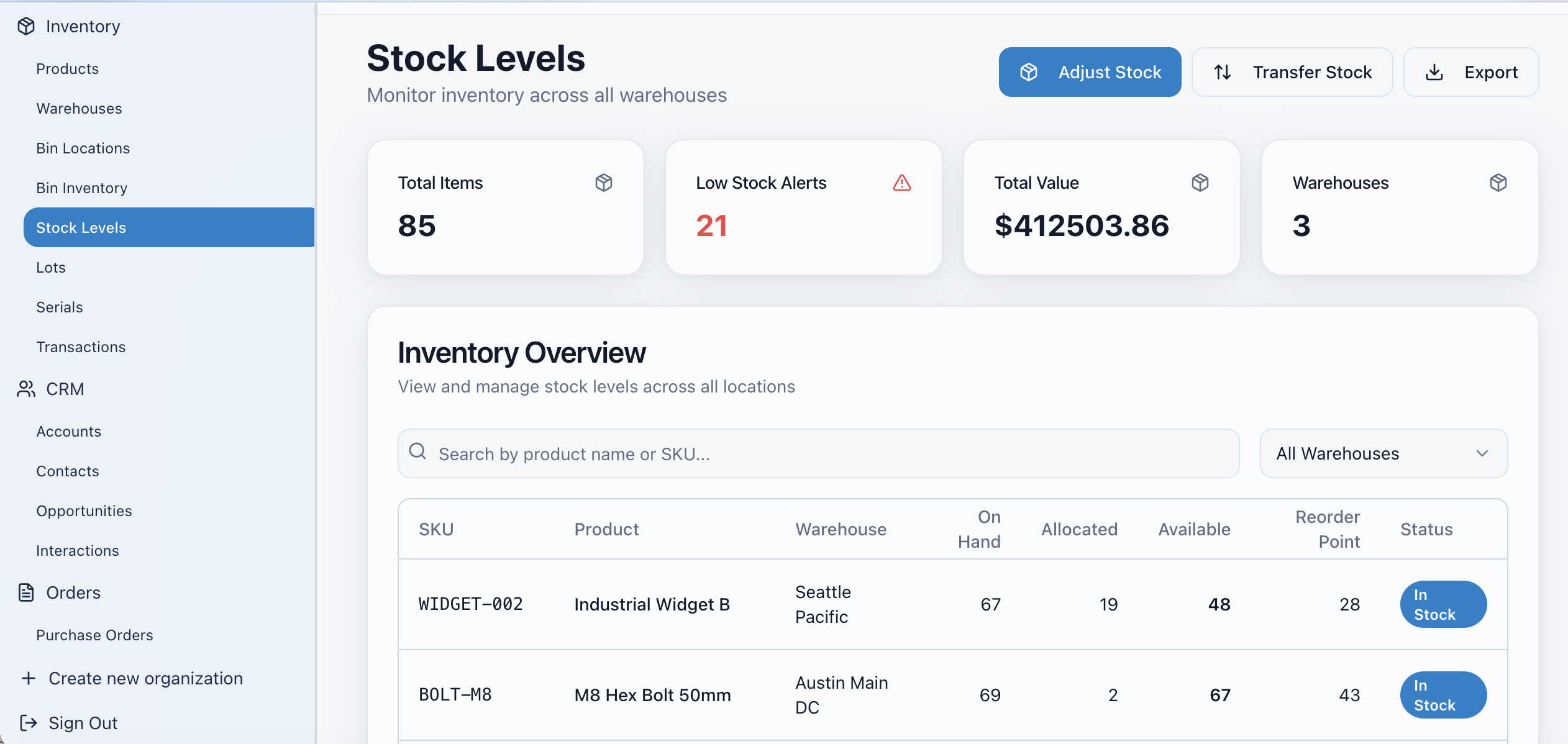
Counts move as the business moves. You open the dashboard and see the true position, not last night's snapshot.
- KPI cards for Total Products, Low Stock, Out of Stock and Total Inventory Value
- Automatic stock decrement the moment an item is sold
- Manual stock adjustments and inventory operations for counts and corrections
- Low-stock and out-of-stock states flagged on every list
- Valuation updated continuously for accounting and month-end
- Stock visible per store, not just company-wide
Multi-location
Built for more than one store
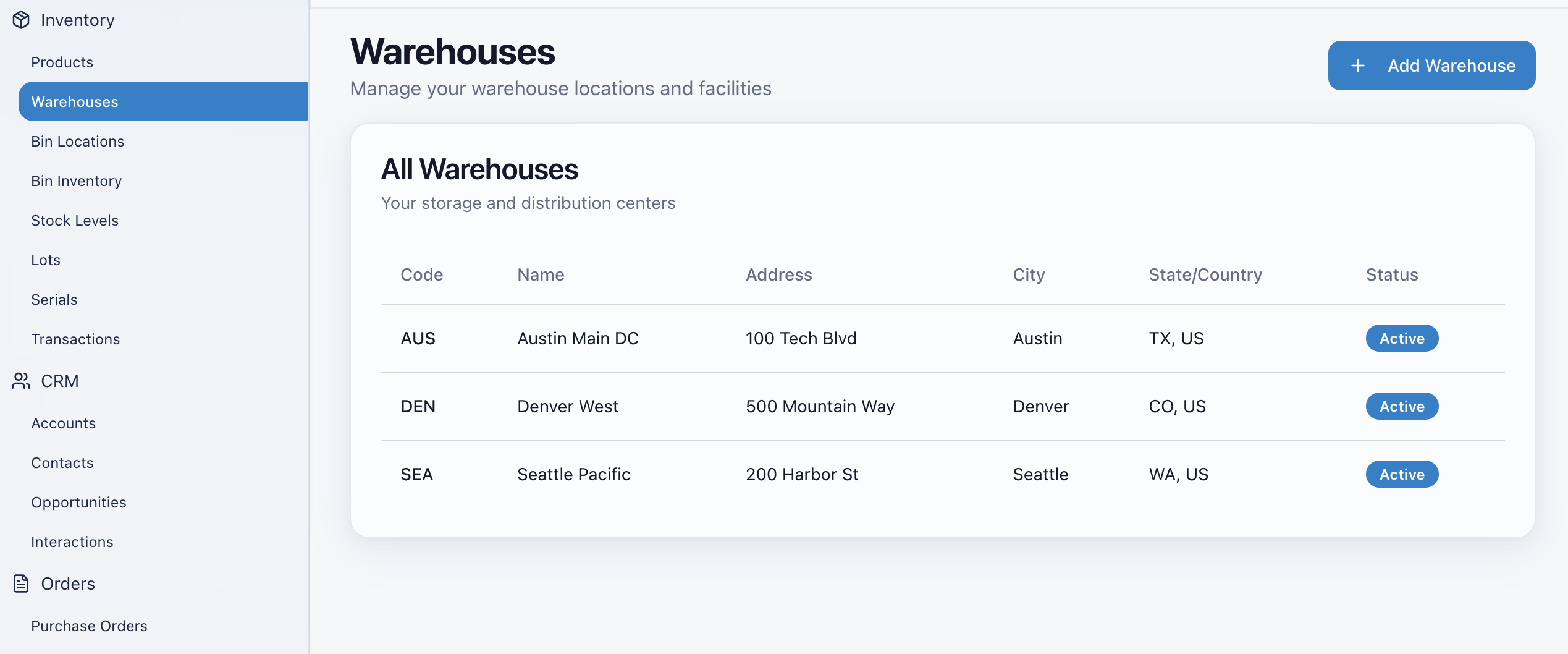
Multi-tenant from the ground up. Add a second location, a franchise, or a second concept in the same building without a second account.
- One sign-in across all stores, franchises and multi-store operations
- Per-store rollups plus a consolidated parent view
- Store creation and management from the back office
- Store profile and timezone drive all business logic, schedules and report grouping
- Two businesses in one location, each with their own menus, under one login
- Tenant isolation so each store only sees its own data
Selling
Sell from the same data
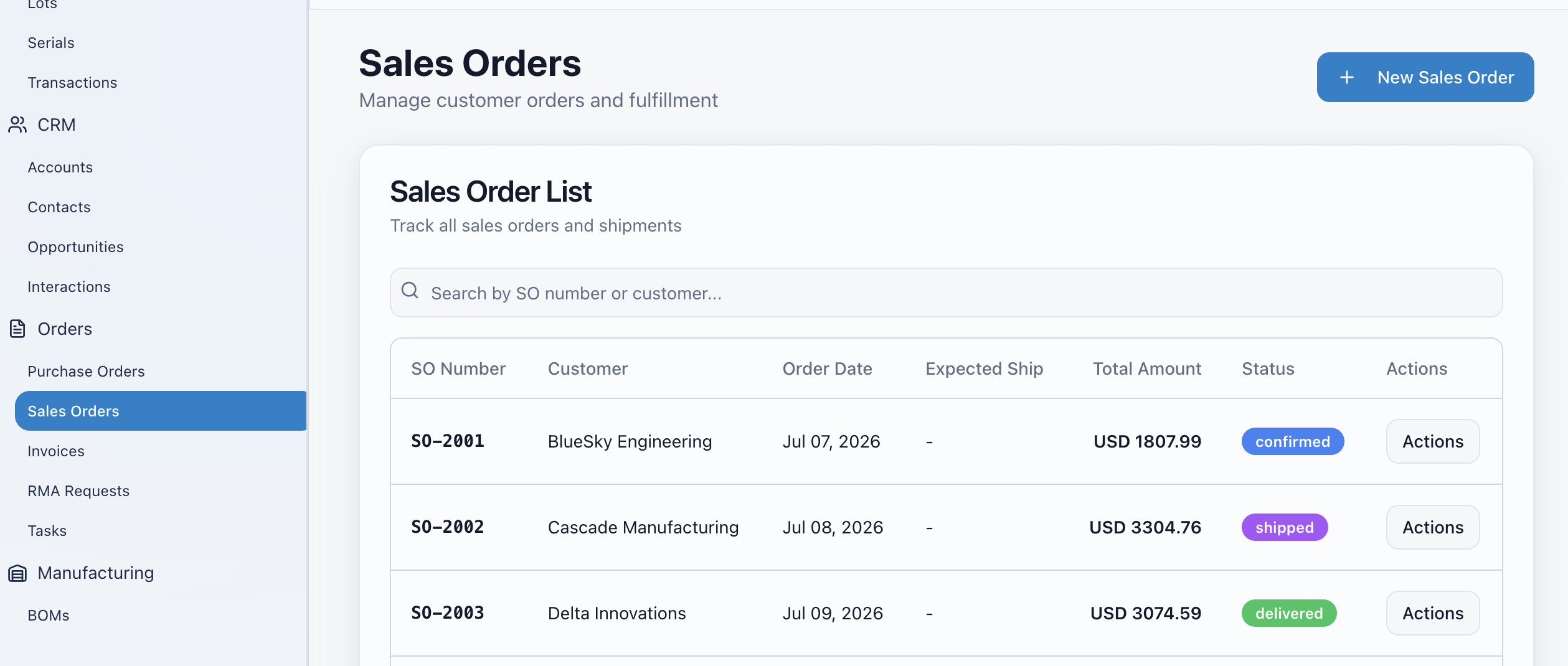
Ordering is not a separate product bolted on. The register reads the same catalog inventory does, which is why the numbers never drift.
- Touch-first ordering: category tabs, product grid, live cart, quantity controls and item removal
- Running subtotal, tax and total with every add-on and modifier shown on the order summary
- Configurable order-type buttons with custom label, icon, color, sort order and menu mapping
- Multiple menus with per-menu scheduling by day and time window, holidays handled, in store local time
- Reusable modifier and add-on libraries with required or optional groups and min/max selections
- Discounts, taxes, tips, split tender and custom charges handled at checkout
People
Control who can do what
Inventory data is sensitive. Access is decided by role and enforced twice — once in the interface, once in the database.
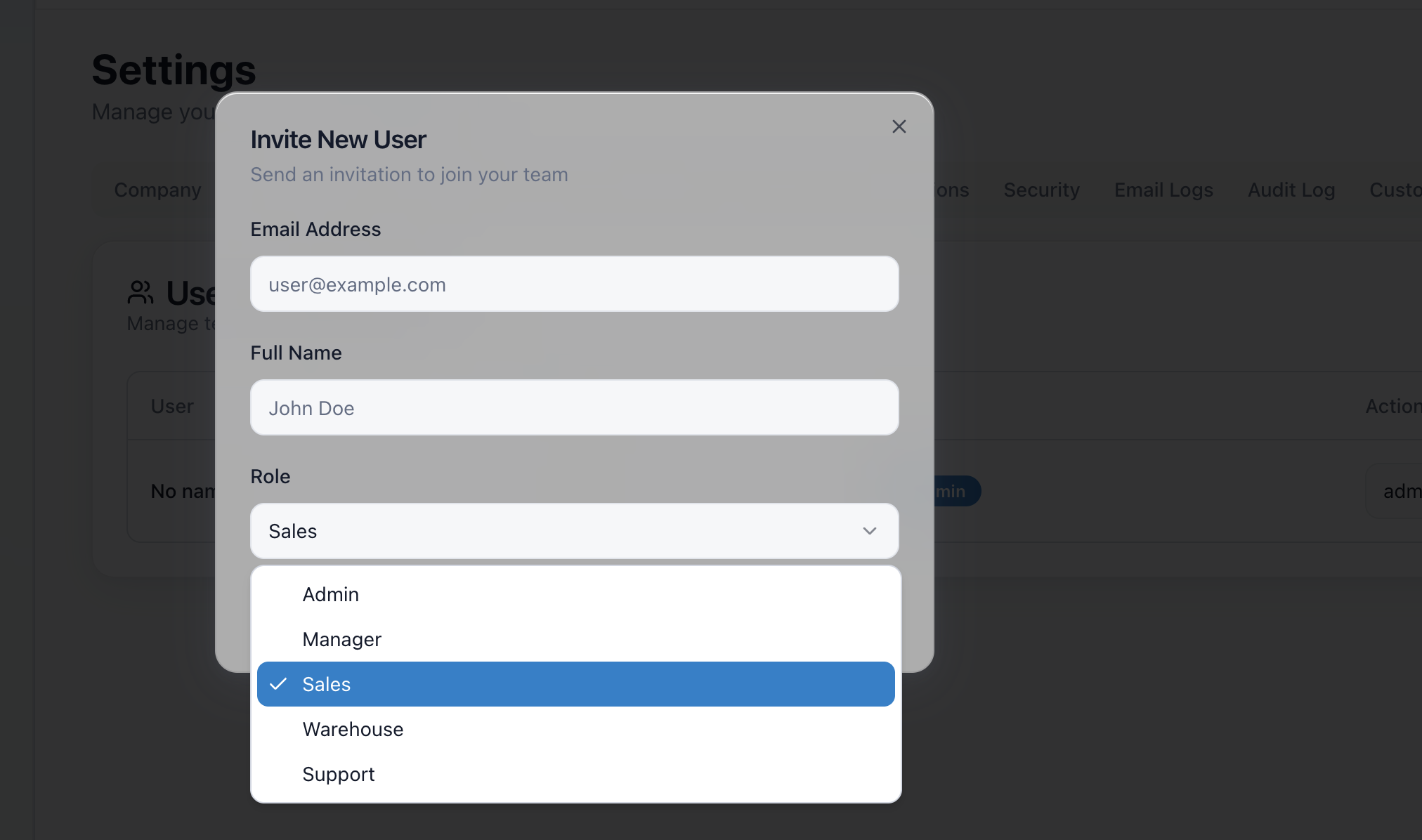
- Invite staff by email, edit details, deactivate or remove them
- Fast 4-digit PIN login for on-device staff switching, with attempt throttling
- Roles stored separately from profiles and checked server-side
- Granular permissions such as report access and settings access
- Back office hub filtered to what the signed-in person is allowed to open
- Onboarding wizard that adds a staff member in about two clicks
Back office
Reporting you can reconcile against
From item-level movement to processor settlement, the numbers trace end to end.
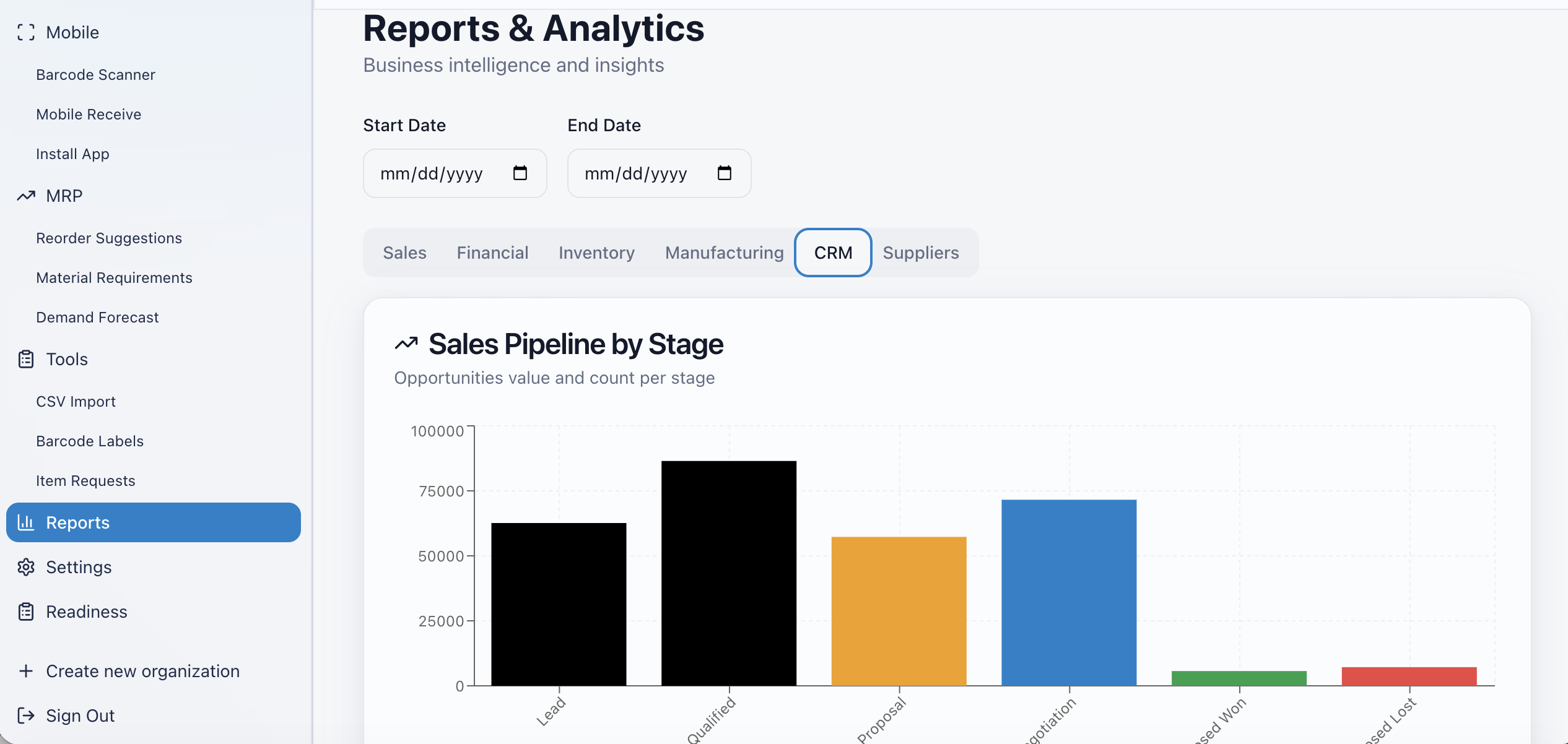
- Sales and analytics with unified date filters, revenue and item breakdowns
- Dedicated tabs for tips, staff hours, tax and loyalty with drill-downs
- Financial reports: settlement files, refunds and transactions for reconciliation against payouts
- Searchable transaction history with full detail, receipt reprint or resend, and refunds
- Business metrics dashboard with sparklines, trend indicators and export
- Cash drawer and shift reconciliation with expected versus counted cash
Getting started
Running the same day
No implementation project, no consultant, no data migration team.
- 1
Sign in
Email and password for the back office, PIN for the floor. One place for ordering, payments and reporting.
- 2
Load your catalog
Bulk import your products, or build them by hand with variants, barcodes and images.
- 3
Set the rules
Menus and schedules, modifiers and add-ons, discounts and taxes, store profile and timezone.
- 4
Start selling
Stock decrements automatically as items sell and every report updates with it.
Payments
Payments built in
You never shop for a merchant account, never sign up with a third-party processor and never pay a gateway. Taking money is part of the same system that tracks your stock, which is why a sale, a refund and a stock count always agree.
Cards and bank
Accept card and bank payments on the register, on a handheld, or online — no separate processor account to open.
Split tender and gift cards
Split a check across payment methods, sell and redeem gift cards, run loyalty and capture tips at checkout.
Receipts and refunds
Print, reprint, email or resend receipts, and issue referenced or unreferenced refunds that write back to stock.
Also included in the operations layer
- Cash drawer sessions with starting float, pay-ins and pay-outs
- Expected versus counted cash and per-shift reconciliation reports
- Clock in and out by button or PIN kiosk mode
- Personal timesheets, shift scheduling and staff assignment
- Time-off requests with approval flow
- Payroll reports and attendance analytics
- Customer display screen for order transparency at the counter
- Kitchen and fulfillment display screens driven by the same orders
- Receipt printers, scanners and peripheral support
- Gift card issuance, balance tracking and redemption
- Named discounts by percentage or fixed amount
- Tax configuration applied per product and per custom charge
- Automated emails for staff invitations, receipts and gift cards
- Back office hub launching Parent Dashboard, Staff, Products, Inventory, Displays, Printers, Gift Cards and Reports
- Role-filtered navigation so people only see what they can use
- Organization deletion danger zone requiring an exact name match before full cleanup
One price. Per organization.
Inventory is the one WyndMe tool with a software subscription — and it is a single flat fee for your whole organization, with payments built in.
- Per organization, not per user
- Unlimited users
- Unlimited stores and locations
- No setup fee
- No per-device fee
- No hidden platform fees
That is everything. No add-on modules, no usage tiers, no surprise line items.