


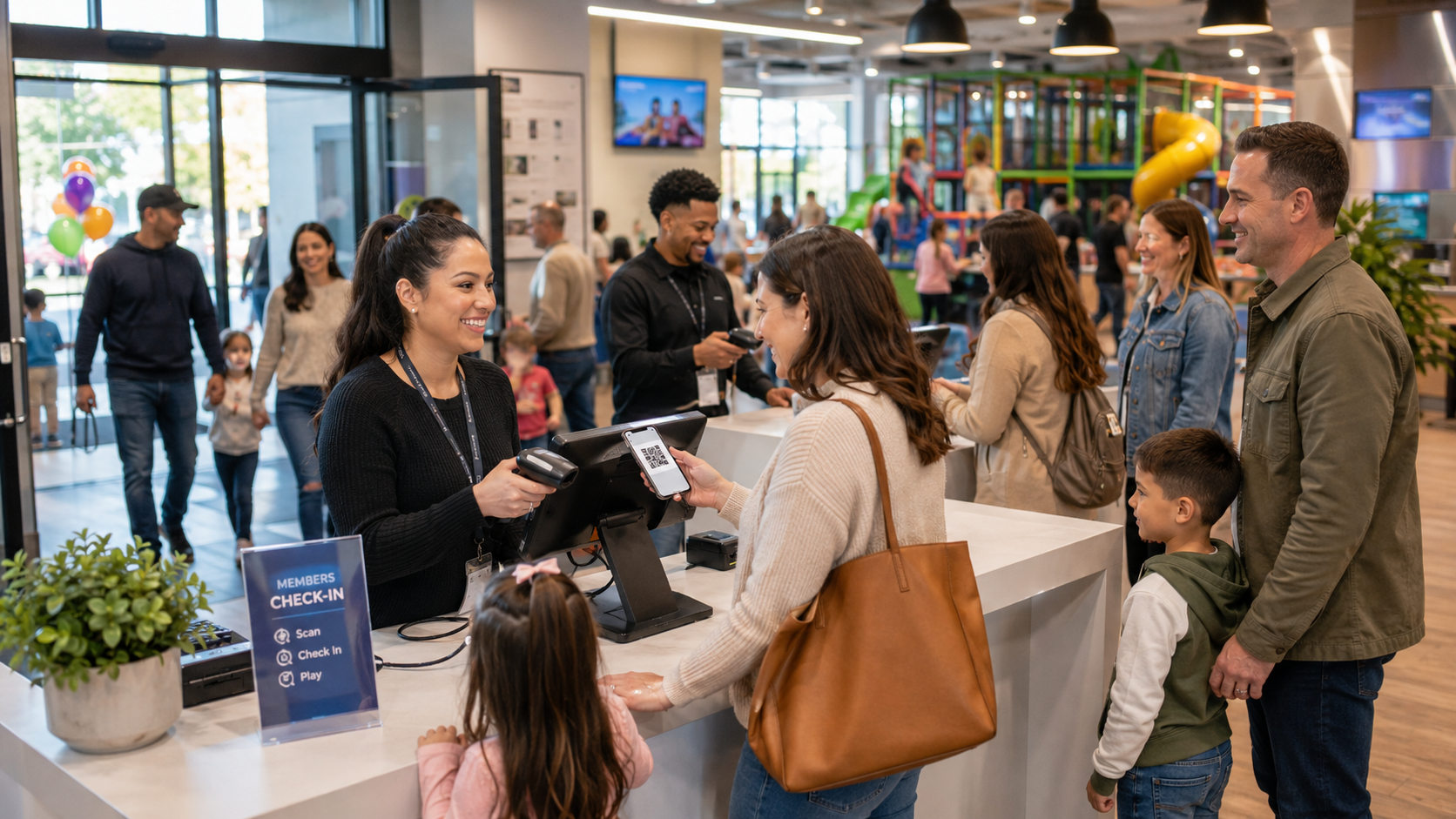
Most playgrounds run admissions on one system, memberships on another, party bookings in a spreadsheet and waivers on paper — then spend the evening reconciling all of it. WyndMe is one system: passes, members, parties, food and check-ins write to the same customer and sales records, so the day's numbers are right the moment you close.
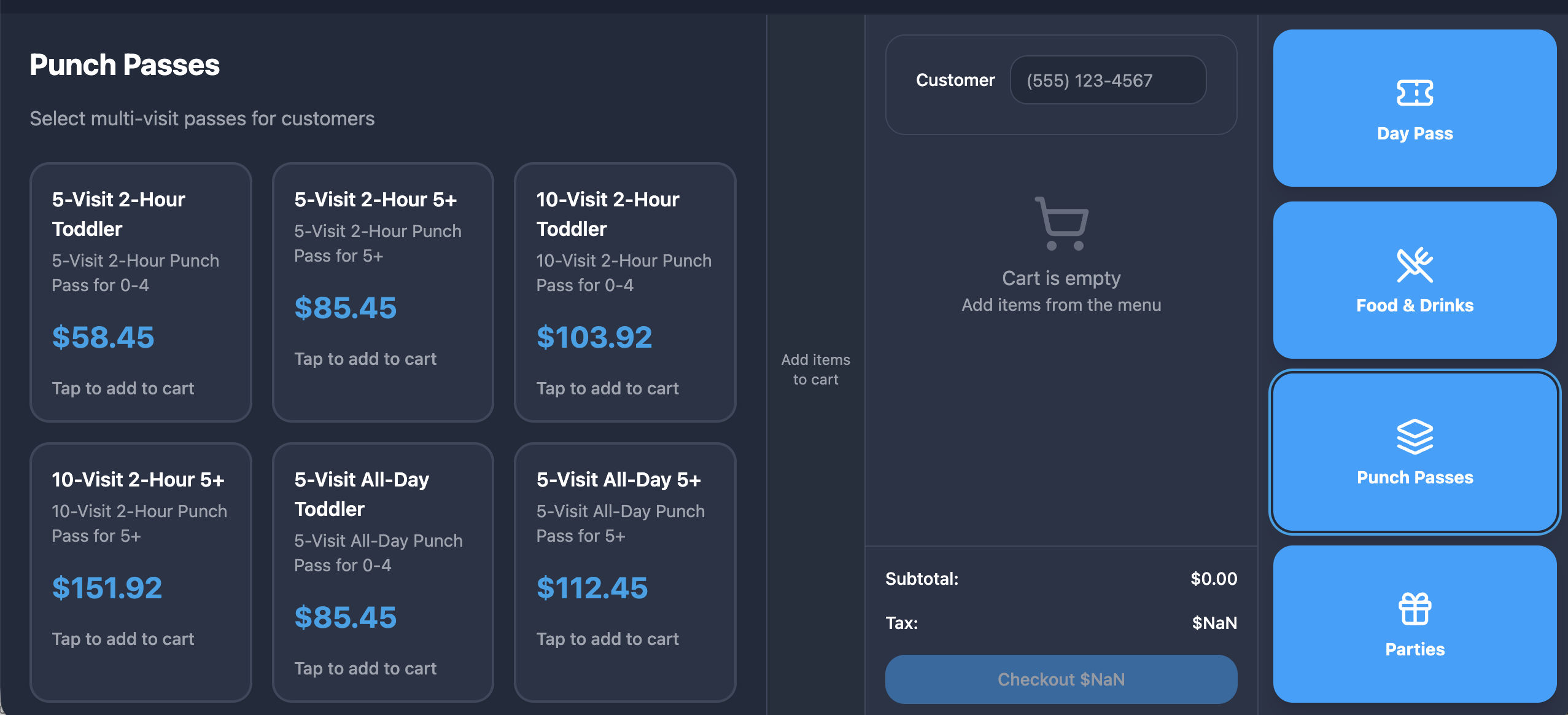
One counter, four buttons
Day Pass, Food & Drinks, Memberships and Parties. Everything your front desk sells is one tap away, on a touch screen anyone can learn in a shift.
One customer record
Waivers, memberships, punch balances, party bookings and purchase history all attach to the same profile, so staff see the whole guest at the register.
One set of numbers
Sales, attendance, memberships and party revenue come from the same data — per location or consolidated across every site you run.
Everything included
Everything an indoor playground needs
Every feature below is part of the platform. Nothing is an upsell, an add-on module or a premium tier.
Day passes
Single-visit admissions priced by age group, sold as tiles with photos and prices you control.
Punch & multi-day passes
Multi-visit punch cards that deduct automatically and multi-day passes valid across a date range.
Memberships
1, 3, 6 and 12-month plans plus family and VIP tiers, each with its own price, cycle and benefits.
Recurring billing
Saved cards charged automatically each cycle, with overdue members flagged for follow-up.
Party booking
Rooms, packages, add-ons, deposits and balances captured in one booking flow.
Party calendar
Every in-person and online booking on one schedule, with double-booking protection.
Café & merchandise
Food, drinks, snacks and retail with modifiers, plus barcode scanning for packaged goods.
Gift cards
Issue physical or e-gift cards, redeem as a tender, check balances, transfer lost cards.
Waivers
Signed on the touchscreen or ahead of the visit through your public link, stored on the profile.
Check-in & scanning
Scan a pass or member code at the door; the system verifies validity and waiver coverage.
Capacity tracking
Every entry is recorded so you can see who is in and get warned as you near your limit.
Customer profiles
Contacts, children, waivers, memberships and history, searchable in a second at the register.
Cash drawer & shifts
Open and close the drawer, count cash, and track over/short by shift and employee.
Time & attendance
Clock in and out, timesheets and payroll-ready hours reports for your team.
Reports & analytics
Sales, products, memberships, attendance, parties, gift cards and staff — exportable.
How the day actually runs
The ordering center
A counter your team learns in one shift
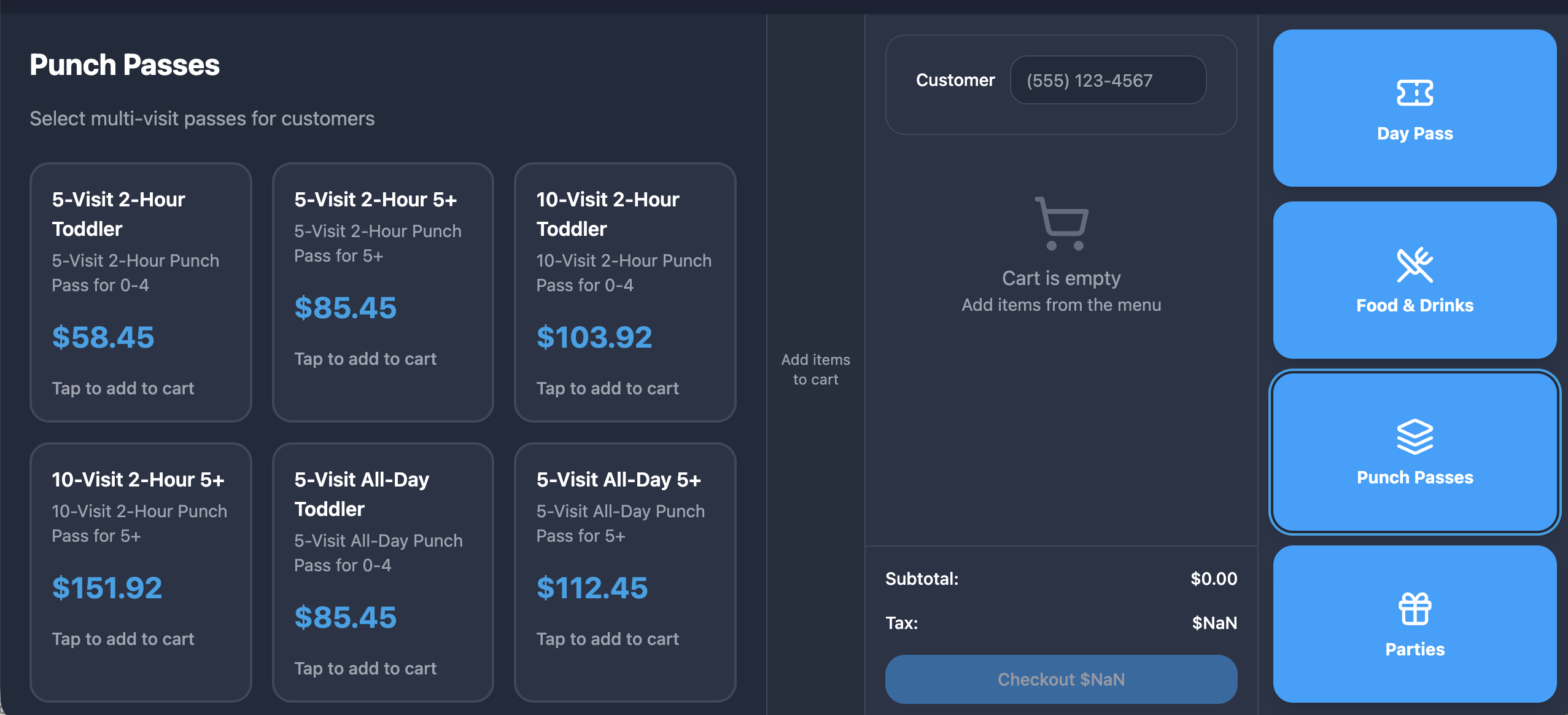
The home screen is built for a busy front desk: four large buttons open the passes, menu items, plans and party rooms you set up, each shown as a tile with its photo and price.
- Day Pass, Food & Drinks, Memberships and Parties in one place
- Tap to build a cart and mix categories in a single sale
- Modifiers prompt automatically on food items
- Scan a barcode to ring up packaged merchandise instantly
- Attach a customer so benefits and history apply
- Adjust quantities or remove lines right in the cart
Admissions
Passes that track themselves
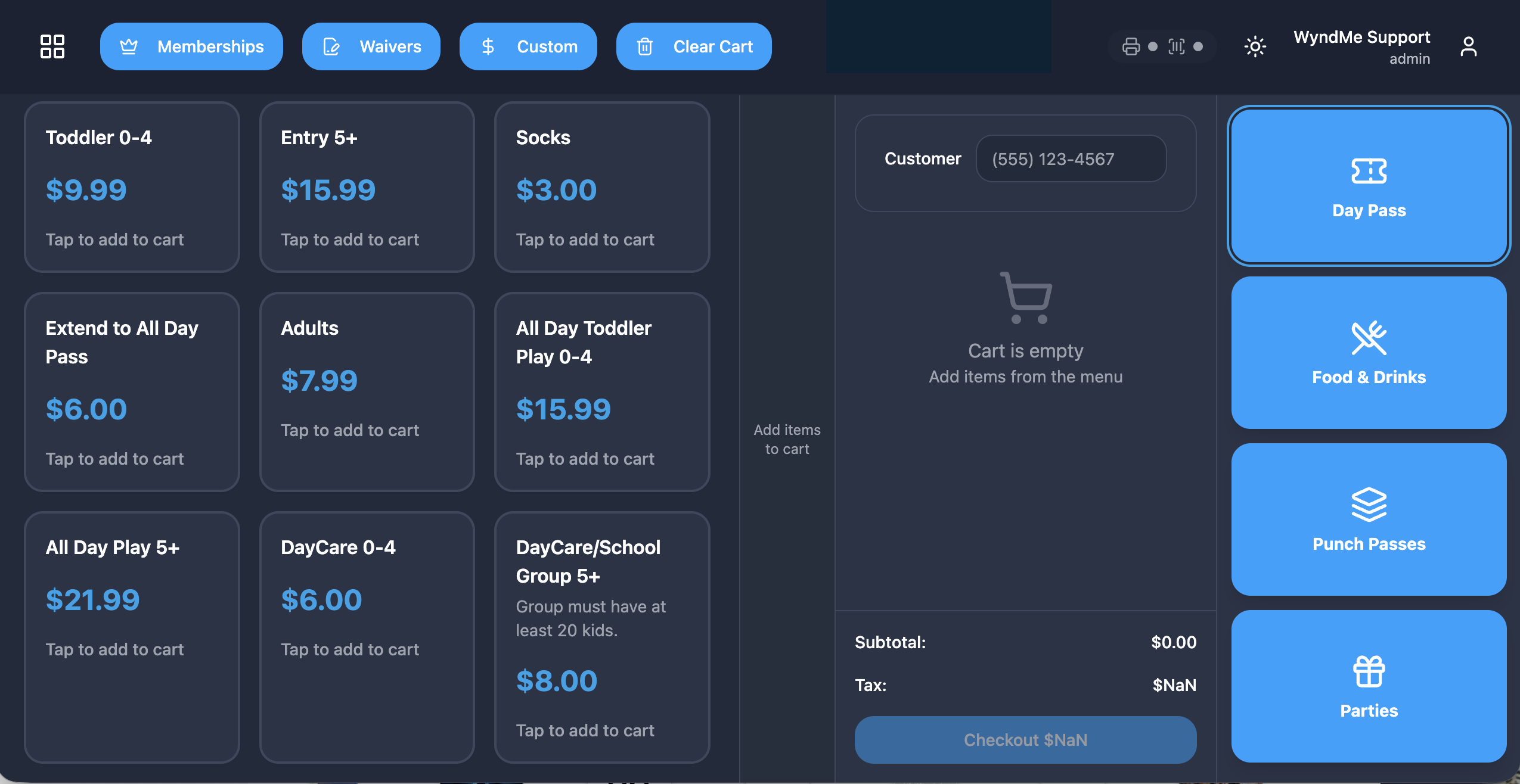
Sell single-visit admissions by age group, multi-visit punch passes, or multi-day passes — and let the system keep the balances honest.
- Single-visit admission priced by child, adult, toddler or senior
- Punch passes deduct one visit automatically at check-in
- Remaining visits shown to staff and printed on the receipt
- Multi-day passes valid for any day in their date range
- Barcode or QR on every receipt for fast door entry
- Weekend and time-of-day pricing applied automatically
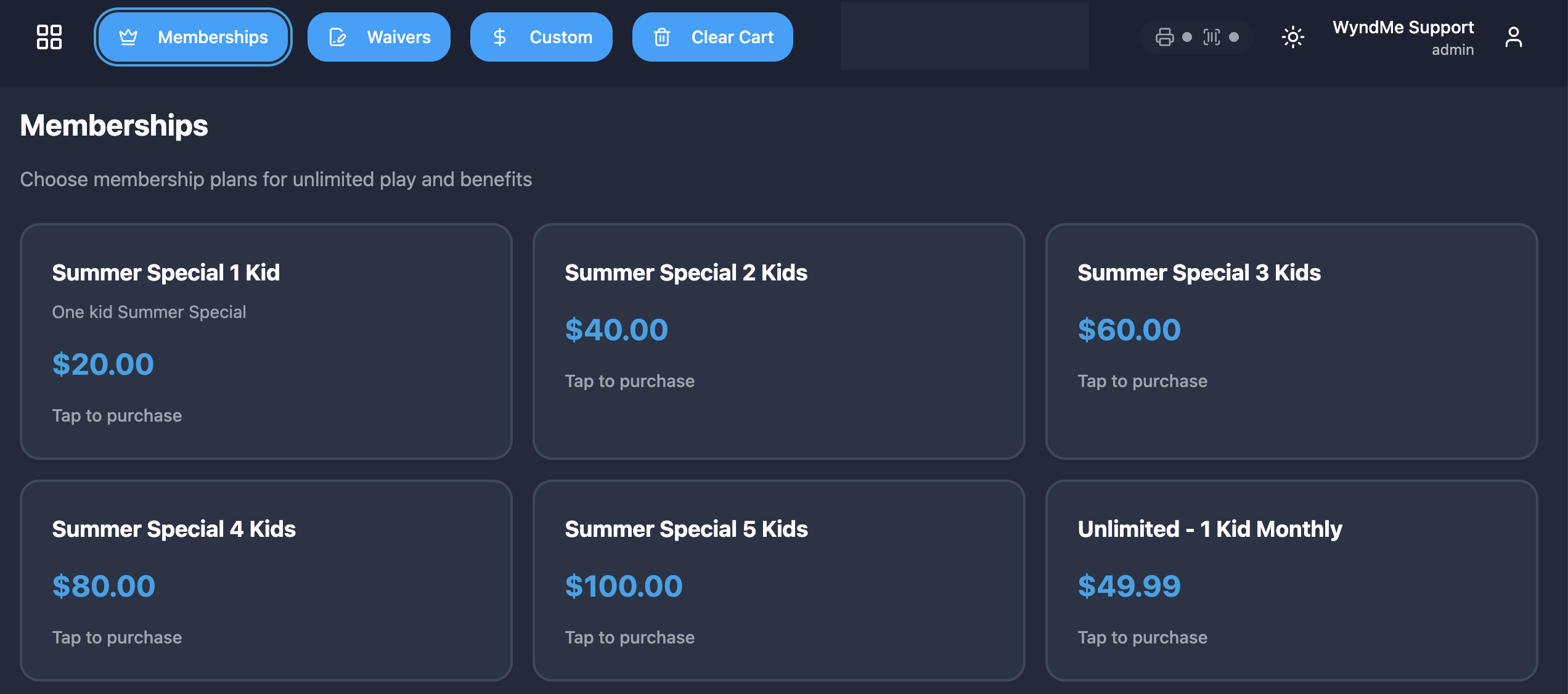
Memberships
Recurring revenue that runs itself
Build the plans you want, sell them at the counter, and let saved-card billing keep them current — with clear statuses when something fails.
- 1, 3, 6 and 12-month plans plus family and VIP tiers
- Cards saved securely with WyndMe Payments, never in the POS
- Automatic charges each cycle with declines flagged as overdue
- Active, overdue and cancelled statuses visible to staff
- Member photo on the profile prevents shared passes
- Family plans cover multiple children under one paying parent
Parties
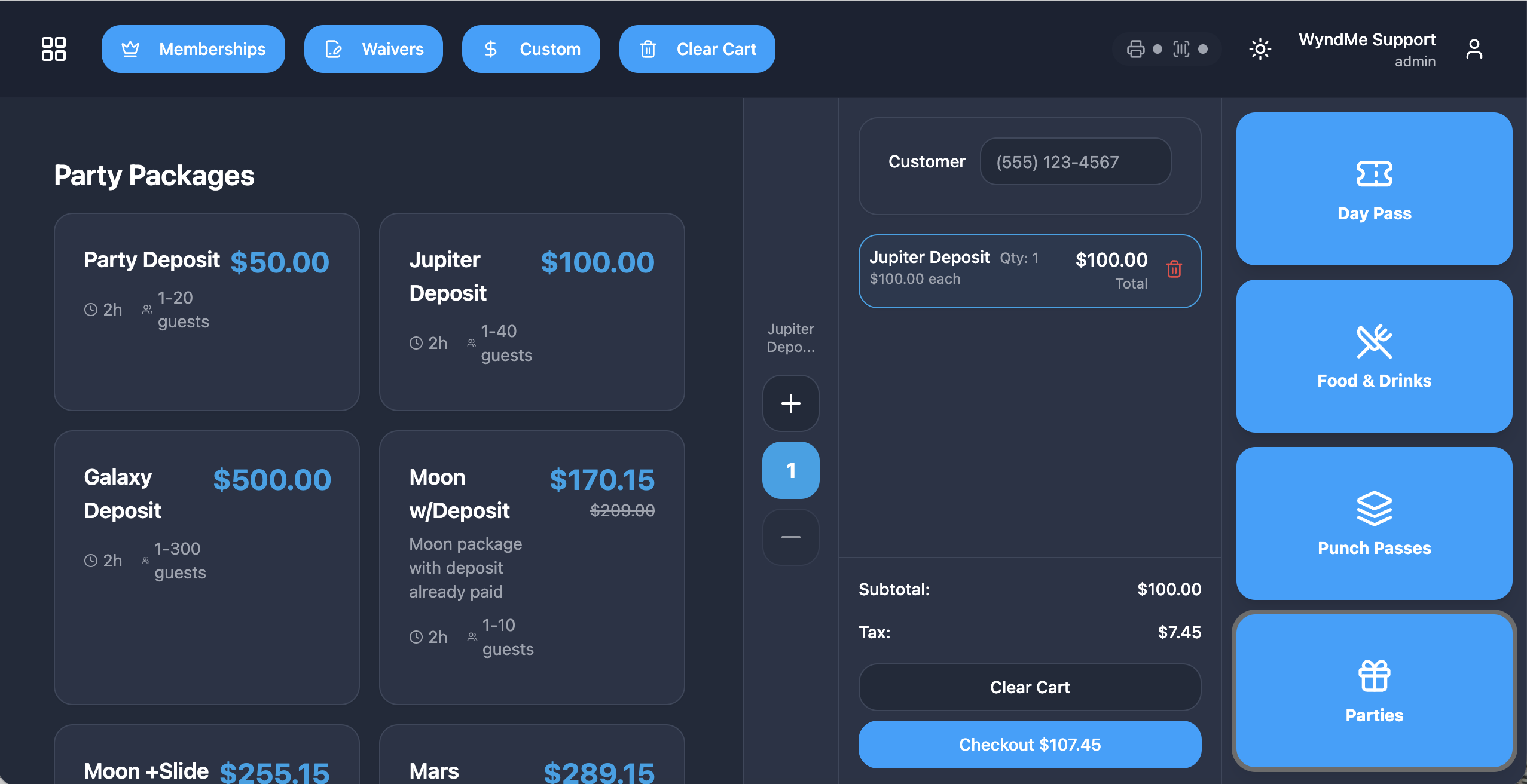
Birthdays booked, deposited and delivered
Pick a room and package, add extras, take a deposit and hand the team an event summary — with online bookings landing on the same calendar.
- Rooms and packages with base price and included guest count
- Add-ons for extra guests, food, goodie bags and characters
- Calendar blocks booked slots so a room is never double-booked
- Host, child, guest count and notes captured on the booking
- Deposit now, balance due later, status visible at a glance
- Day-of check-in, last-minute charges and printable event summary
Waivers & check-in
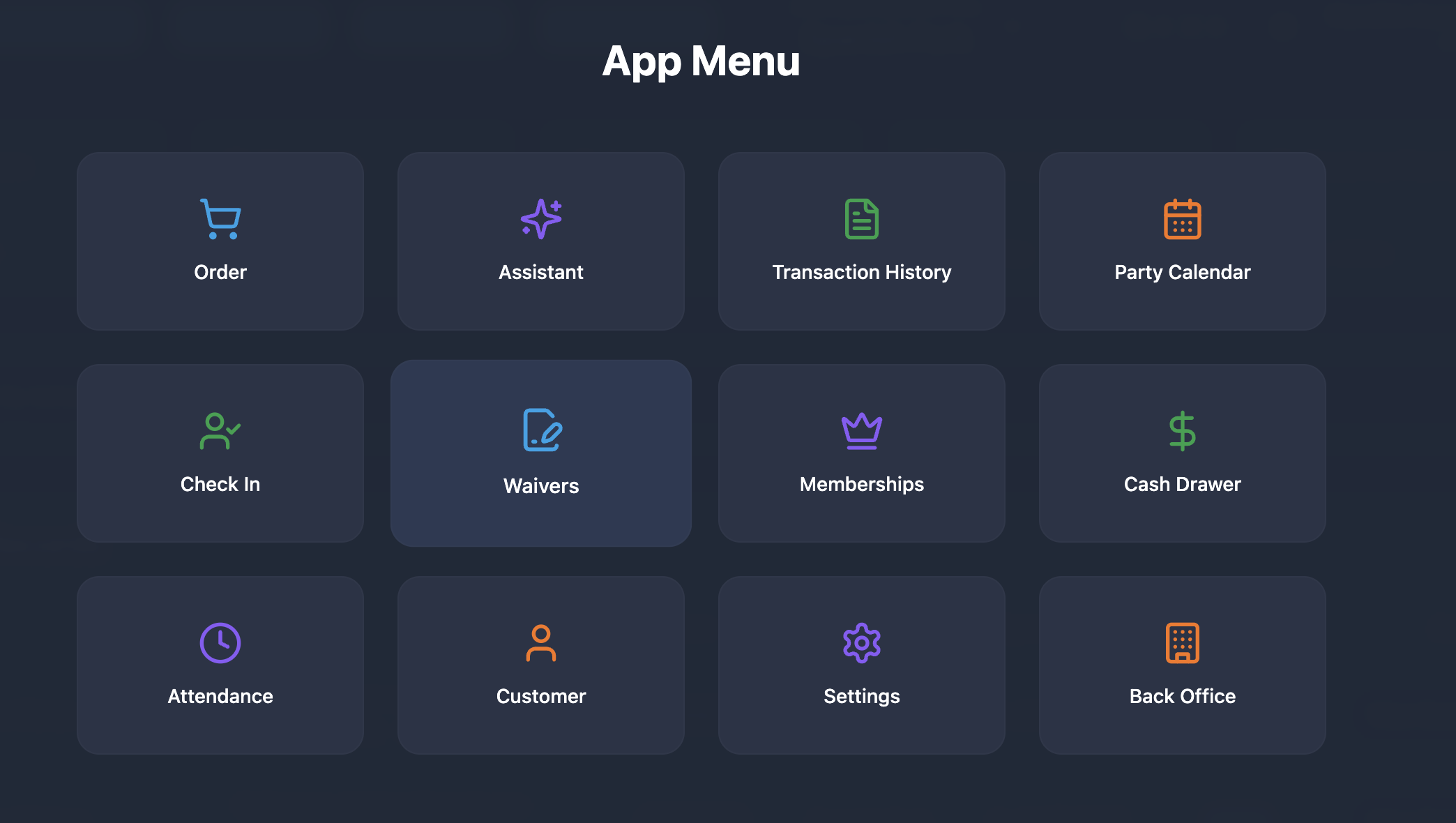
Nobody plays without a signed waiver
Guests sign on the touchscreen or ahead of time through your public link, and the door screen confirms coverage before anyone goes in.
- Sign on screen or signature pad, adults plus covered children
- Public link so families sign before they arrive
- Look up and reuse an existing waiver for repeat visits
- Check-in verifies the pass or membership is valid
- Waiver coverage confirmed before entry
- Capacity warnings and attendance recorded on every entry
Back office
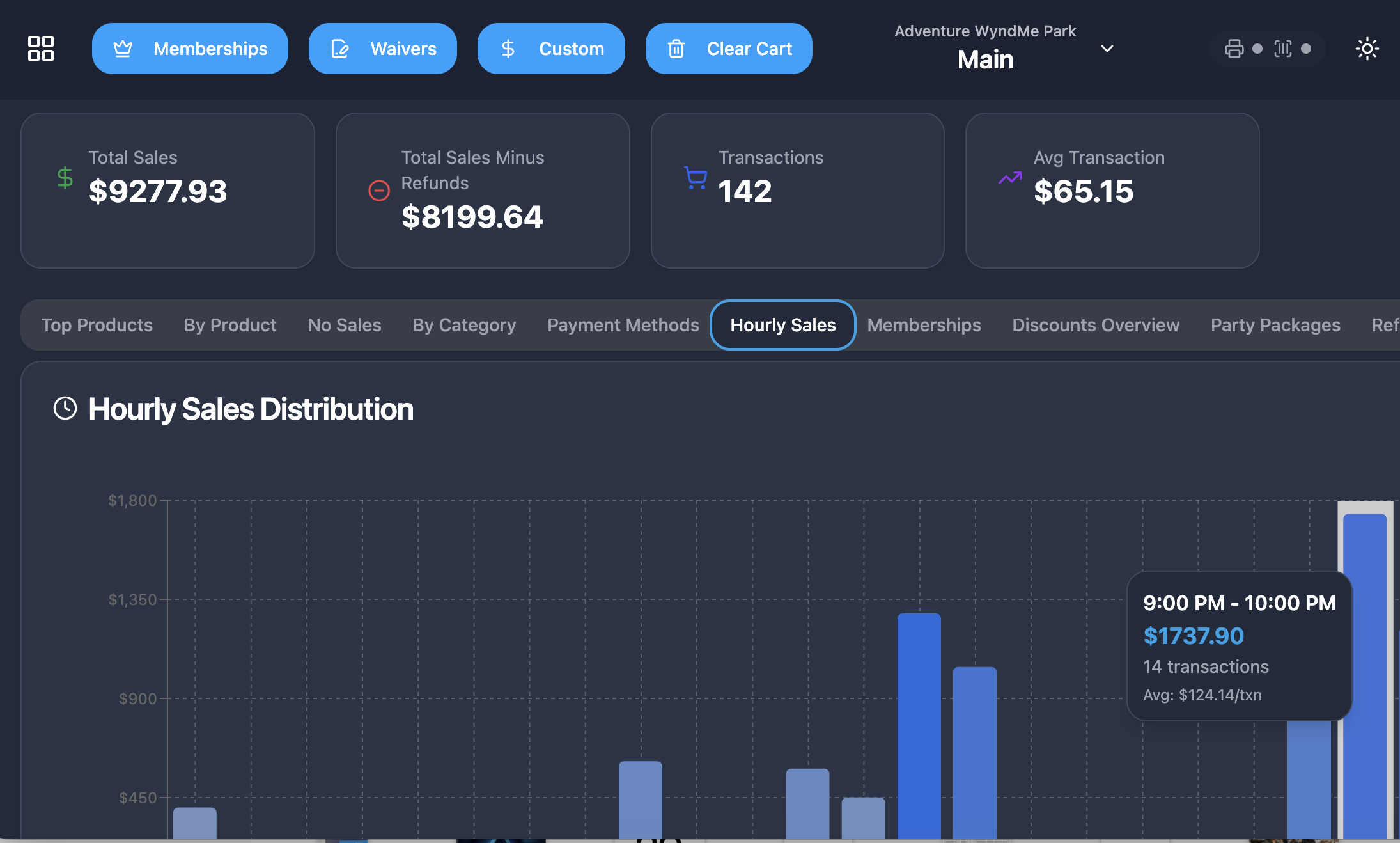
Reporting you can actually trust
Revenue counts only completed sales, refunds are broken out, empty days show as zero and everything follows your store's local timezone.
- Sales and revenue by day or custom range, with tax and refunds
- Products and categories: passes vs. food vs. merchandise
- Memberships: active by plan, new sign-ups, expirations, MRR
- Attendance: entries per day, peak times, unique visitors
- Parties and gift-card liability, plus hours and shift over/short
- Per location or consolidated, exportable to CSV or PDF
Getting started
Open in a day, not a quarter
- 1
Sign in
Managers use email and password; the front desk uses a 6-digit staff PIN so cashiers switch in seconds.
- 2
Set up your store
Confirm your name, address, timezone and tax rates, then add discounts and devices in Settings.
- 3
Add what you sell
Day passes, café menu, merchandise, membership plans, and party rooms, packages and add-ons.
- 4
Add staff and go
Invite your team, assign roles and PINs, then start selling, scanning and checking guests in.
Payments
Payments built in, deposited next day
You never shop for a merchant account, never sign up with a third-party processor and never pay a gateway. Card data is never stored in the POS: terminals are PCI compliant and saved cards for memberships are tokenized.
Cards & wallets
Chip, contactless tap and swipe for credit and debit, plus tap-to-pay from a phone or watch.
Cash & gift cards
Cash recorded with change due, and gift cards redeemed straight against their stored balance.
Split payments
Pay one sale with more than one tender — part gift card, part card — each portion tracked separately.
Terminals that pair
Pair a terminal in Settings; choosing Card sends the amount straight to it and waits for approval.
Refunds & voids
Full, partial or item-level refunds back to the original method; aborted card sales record as voids.
And everything else the front desk needs
- Cash drawer open and close with counted totals and over/short
- Time and attendance with clock in/out, timesheets and payroll reports
- Staff and roles with 6-digit PINs and role-based access to every screen
- Preset-only discounts so pricing stays consistent and auditable
- Automatic tax by location, with items markable as non-taxable
- Gift-card balance lookups and lost-card balance transfers
- Transaction history with statuses, voids and full or partial refunds
- Inventory and product catalog with stock levels, low-stock alerts and imports
- Receipts printed on the built-in printer or emailed to the guest
- Multi-location support with per-site menus, taxes and timezones
- At-a-glance dashboard with today's sales and check-ins
- Temporary demo session so new staff can train without touching real data
Frequently asked questions
Open the doors with everything already connected
Admissions, memberships, parties, café, waivers, check-in and reporting in one system, with payments built in.
$99/month per store after your first 3 months. Nothing is an upsell, an add-on module or a premium tier.
No contract, no setup fee, no sales call required.